
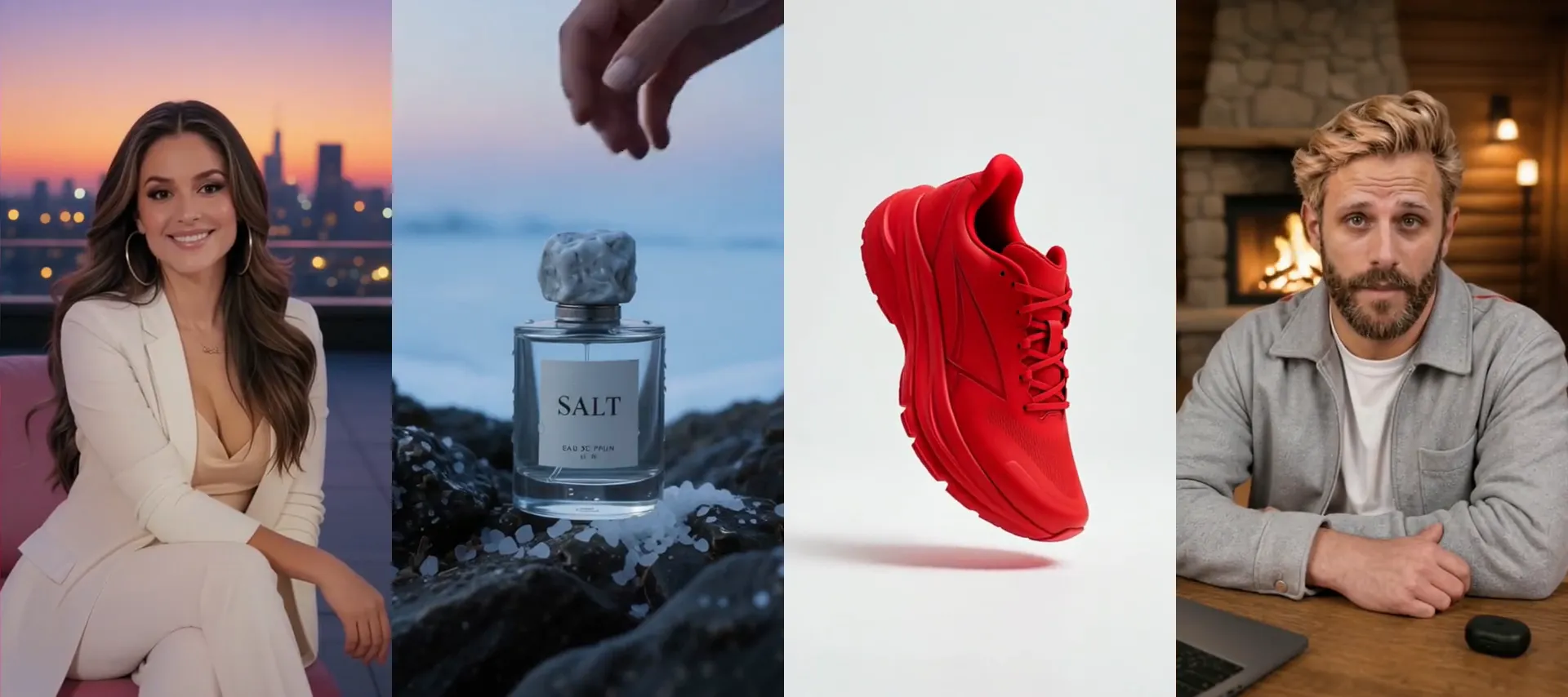
Remix any viral video.
Keep what works. Make the rest yours.
Nothing renders until you approve the plan. · Or restyle a clip in the AI video editor
An AI video remix is a new version of a video that keeps what made the original work and changes the rest. In Synthesys you paste a link to an ad and get a remake planned around your product, or you restyle a single shot in the editor with one sentence. Synthesys is an AI video agent that shows the plan and the cost before anything renders.
Where it helps
Remake ads, shows and product films.
Each of these began as a finished shot and one typed sentence.
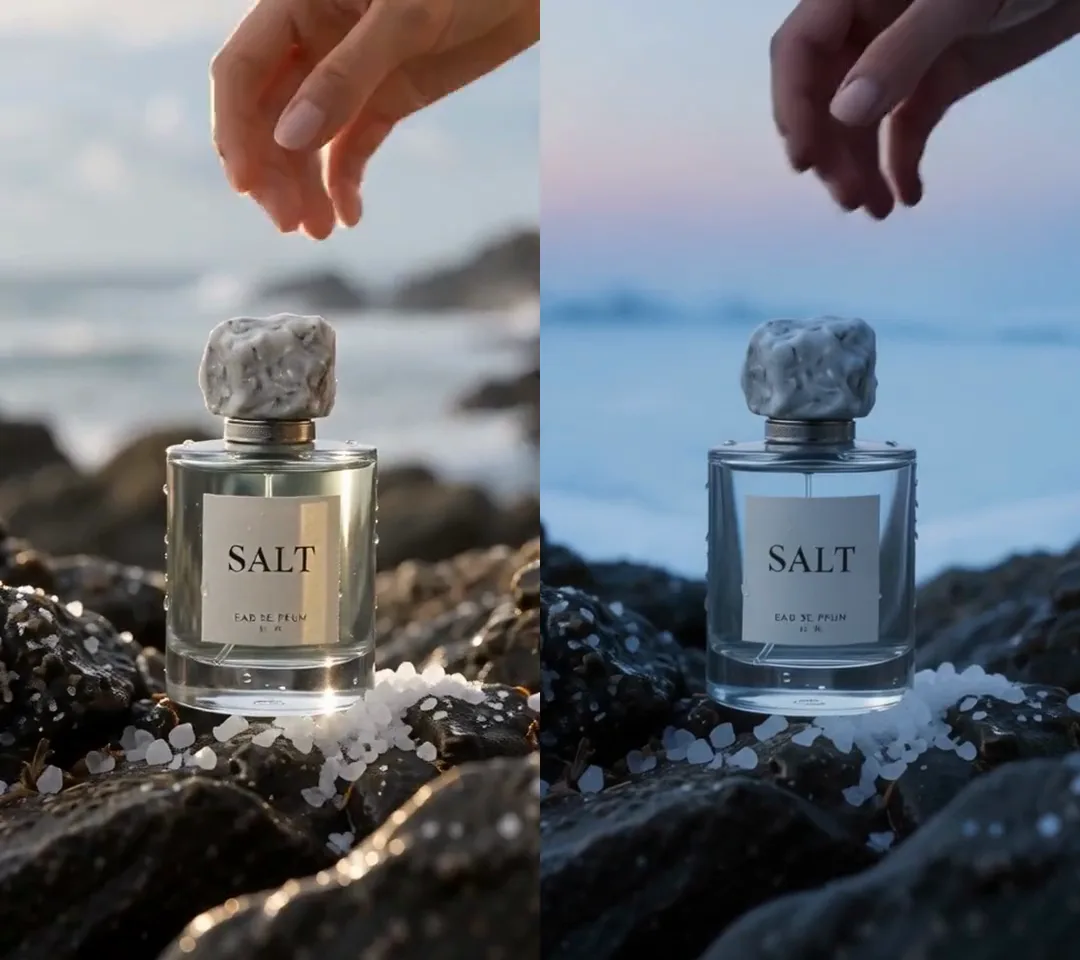 OriginalRemix
TV commercials
The same product shot, on a frozen lake at dawn.
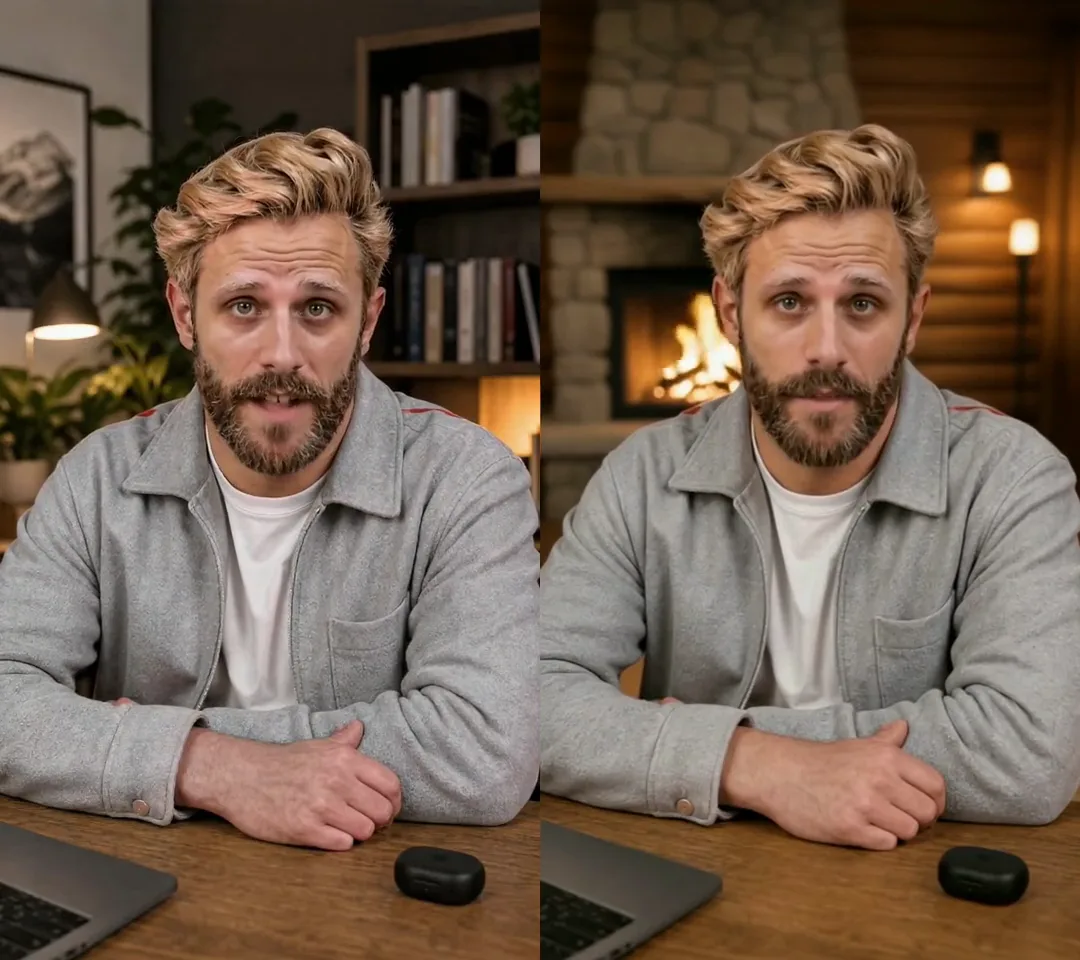 OriginalRemix
UGC and reviews
The same take, in a snowy mountain cabin.
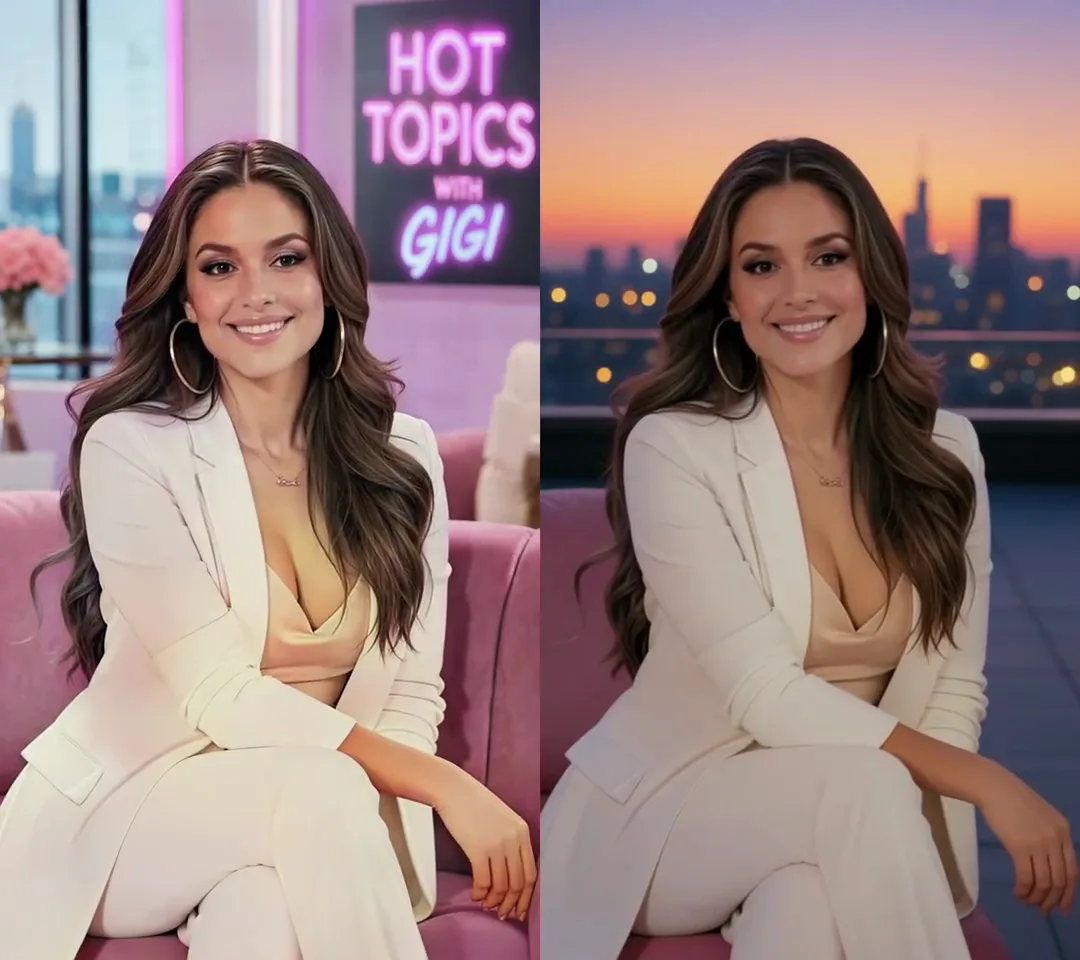 OriginalRemix
Creator shows
The same host, on a rooftop at sunset.
 OriginalRemix
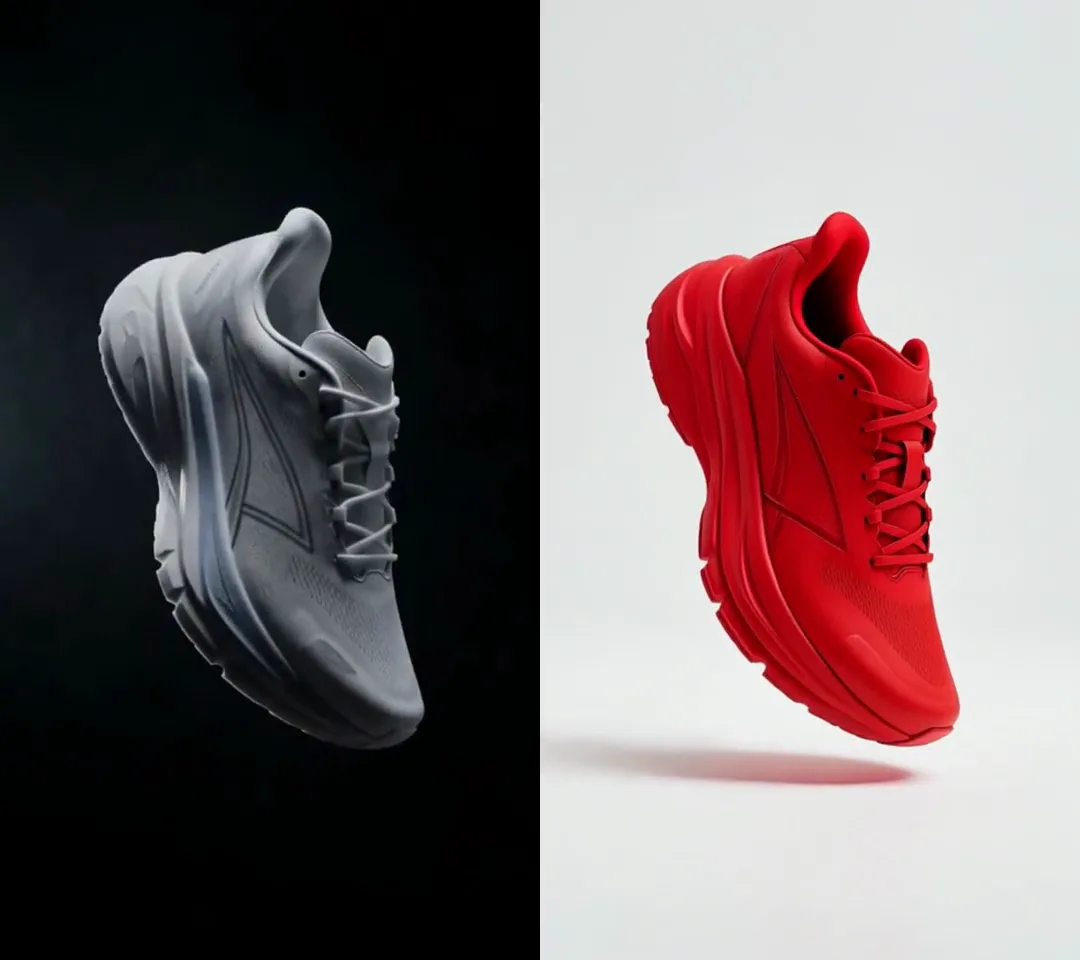
Product showcase
The same sneaker, in red on white.
What changes
Same moves. New everything else.
The motion and the framing come through untouched. The surroundings are your call.
OriginalRemixOriginalRemixOriginalRemixGetting started
Three steps, start to remix.
Choose a video you admire.
Paste a TikTok, Reel, Short or ad link, upload a file, or open one of your own clips in the editor.
See what makes it work.
An ad is broken down first: the hook, each beat, the pacing and the look. You get the plan and the cost before anything renders.
Make it yours.
Approve the plan for a full remake around your product, or restyle a single shot with one sentence.
Two ways to remix
A whole ad, or a single shot.
Start from a link when you want the idea. Start from a clip when you want the footage.
Remake an ad from a link.
Synthesys reads the ad and tells you why it works. Then it plans the same structure for your product. When we tried it on our own commercial, it asked which product picture to use before it planned anything.
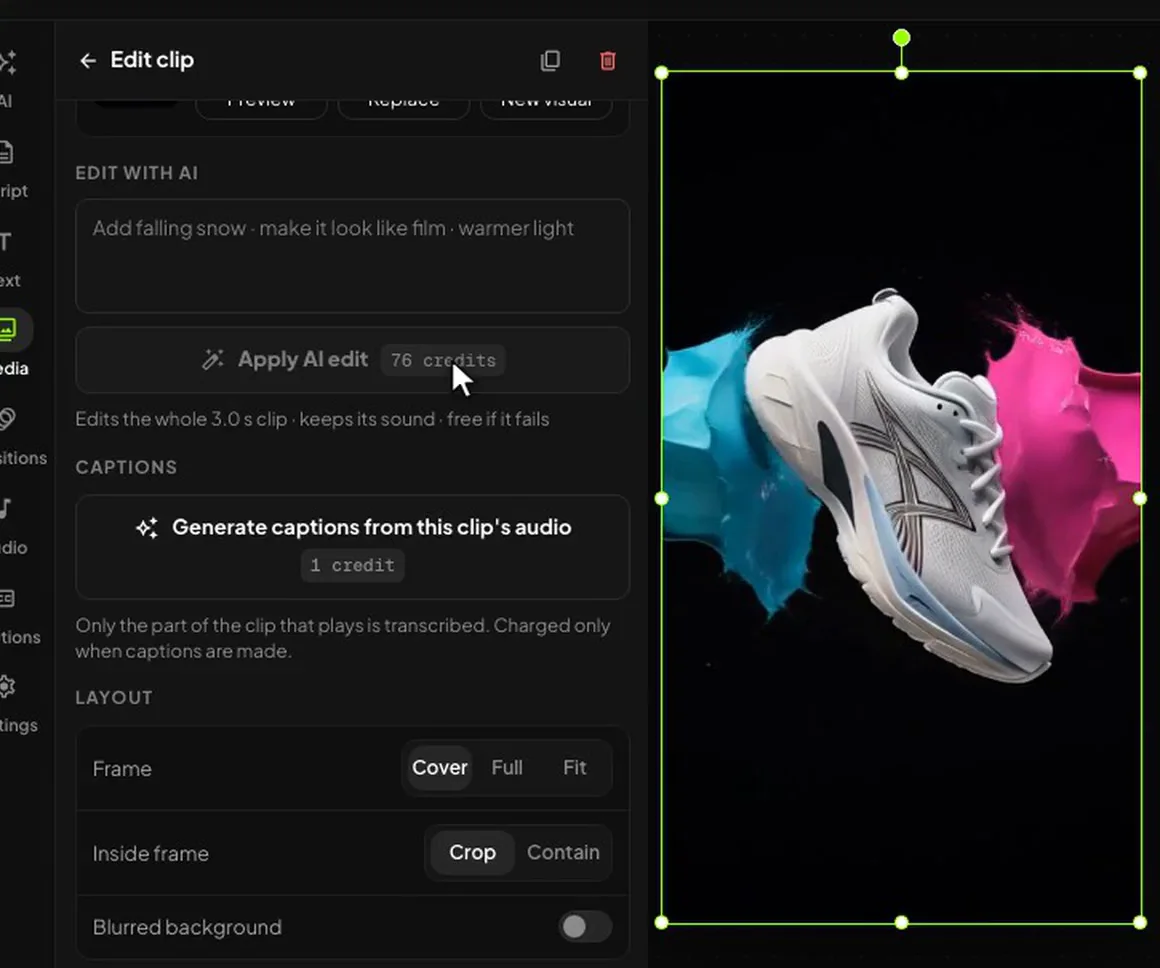
Restyle a shot in the editor.
Select a clip, type a sentence in Edit with AI, and the shot comes back with the same motion in a new world. The price is on the button first. More on the AI video editor.
Know the limits before you remix.
A remix borrows an idea. It shouldn’t borrow anything you don’t have the rights to.
When not to remix.
When the thing you want is someone else’s footage, music, logo or face. Study the ad, keep the structure, and rebuild it with your own product and cast. Our ethics page says where we draw the line.
The mistake that makes a remix look like a copy.
Changing only the logo. The hook and the order of the beats are worth keeping. The story, the product moment and the offer should be yours, or viewers will have seen it before.
What it can’t do.
- Run long. A remake follows the original’s length, up to 60 seconds.
- Restyle a whole edit in one go. Edit with AI works on one shot per request.
- Guess your product. It asks for your product picture before it plans a remake.
- Run everything at once. Five generations can run at a time. A sixth waits its turn, and nothing is charged for the wait.
Frequently asked questions
Last updated:
What is an AI video remix?
It is a new version of a video that holds on to whatever made the original work and changes everything else. There are two ways of doing it in Synthesys. You can paste a link to an ad and get a remake that's planned around your own product, or you can restyle a single shot in the editor by typing one sentence.
Which links can I paste?
You can paste a link to a TikTok, a Reel, a Short or an ad, a direct link to a video file, or a product page. With an ad link, the first thing that happens is a breakdown of the hook, each of the beats, the pacing and the look. A product page gets turned into an ad made from the photos on that page. If you'd rather not paste a link at all, you can upload a video instead.
Does it copy the original video?
No, it doesn't. When you remake from a link, the only thing that gets reused is the structure; Synthesys plans the same hook and beats around your product and then renders scenes that are completely new. Edit with AI works a little differently. It starts from a clip you already have, and it keeps the motion in that clip while it changes how the shot looks.
What can I change in a shot?
Pretty much anything around the subject. The light can change, or the season, or the whole set, and a product can be given a new look as well. When we tried it, one sentence was all it took to move a perfume shot from a sunset to a frozen lake; we did the same to put a presenter in a snowy cabin and to turn a grey sneaker red.
Can I remix my own footage?
Yes, you can. Upload the footage to the Media panel in the editor and add it to the timeline, then select the clip and type what you'd like in Edit with AI. The clip keeps all of its sound, and the original version is still there in your library afterwards.
How long can a remix be?
A remake from a link is the same length as the original video, up to a maximum of 60 seconds. Edit with AI only works on one shot at a time, so if you want to restyle a longer video you'll need to do it one clip after another.
Do I see the cost before anything renders?
Yes, you do. Analysing the ad is a small paid step, and once it's finished you get the plan along with a quote; nothing is rendered until you've approved it. In the editor the price of an AI edit is shown on the button before you press it, and if an edit fails you aren't charged for it.
Can I remix someone else's ad?
You're free to study any ad and reuse the idea behind it, which means things like the hook, the order of the beats and the pacing. What you shouldn't reuse is footage, music, logos or anyone's face unless you actually have the rights to them. If you aren't sure, the safest thing is to remake the structure with your own product and your own cast.
Make your first remix.
Paste a link, read the breakdown, approve the plan.
Remix a videoNothing renders until you approve. · Open the AI video editor