
AI YouTube
Video Generator
An AI YouTube video generator turns a topic into a finished YouTube video, with the script, a presenter or graphics, voiceover, captions and music. Synthesys is an AI video agent that replaces traditional video production end to end. Describe the video in one sentence, check the storyboard and credit cost, and get videos up to 30 minutes.
We built it for people who teach on YouTube: course creators, explainer channels and teams with training videos. You bring the knowledge, and the agent does the production.
- Up to 30 minutes
- 16:9, 9:16 or 1:1
- Planning is free
- Full commercial rights on every plan
- Writing the script
- Planning five chapters on the storyboard
- Casting the presenter and voice
- Checking the length: 20:00
- 01Intro
- 02The basics
- 03Worked example
- 04Common mistakes
- 05Recap
What does a YouTube video made with Synthesys look like?
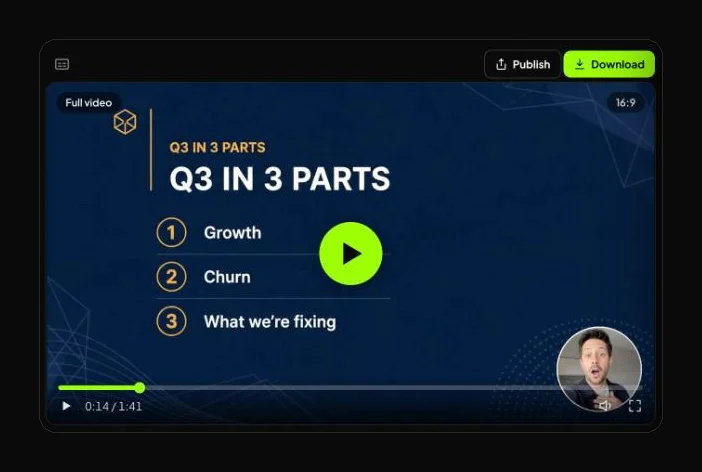
Two real videos made in Synthesys and not edited outside it. Our longest public example runs 1 minute 42 seconds; a full-length one isn't published yet.
A quarterly update for a software company called Planwise: a presenter on camera, then slides and charts with the presenter in a corner bubble.
What we'd fix before posting it:
- A chart that doesn't scale. The revenue bars for 100%, 118% and 131% are drawn the same length.
- A placeholder logo. "LOGO" sits in the corner of the slides. Attach a Brand Kit so your own logo goes there.
Our own test from 28 September 2026 (all timings in how to make long AI videos):
- Storyboard: 12 scenes, 40 seconds after the brief.
- Long plan: a 10-minute version came back as 62 scenes in about two minutes.
- Finished video: 6 minutes 32 seconds after the brief, at the cost on the approve button.
- Needed a pass: captions showed only the start of each line.
How do you make a YouTube video with AI?
Pick a long-form format and describe the video in one sentence, with its chapters. Check the storyboard, length and cost, then approve. The agent writes, voices, builds and cuts the video.

Pick the format and set 16:9.
Full YouTube video runs up to 30 minutes; Presentation video runs 2 to 30. Some formats default to 9:16, so ask for 16:9.
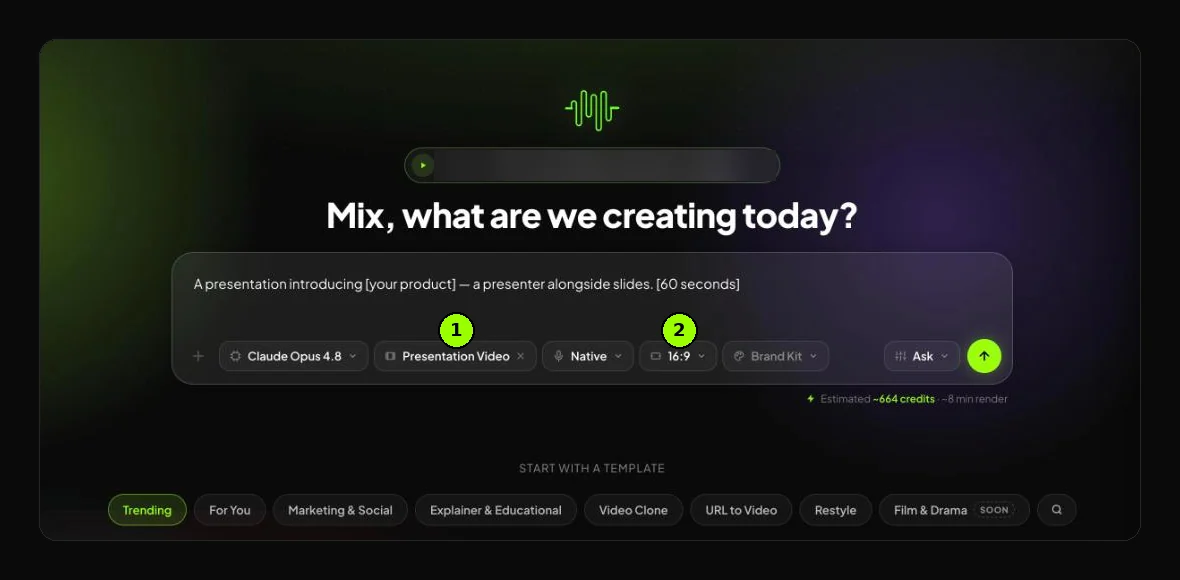
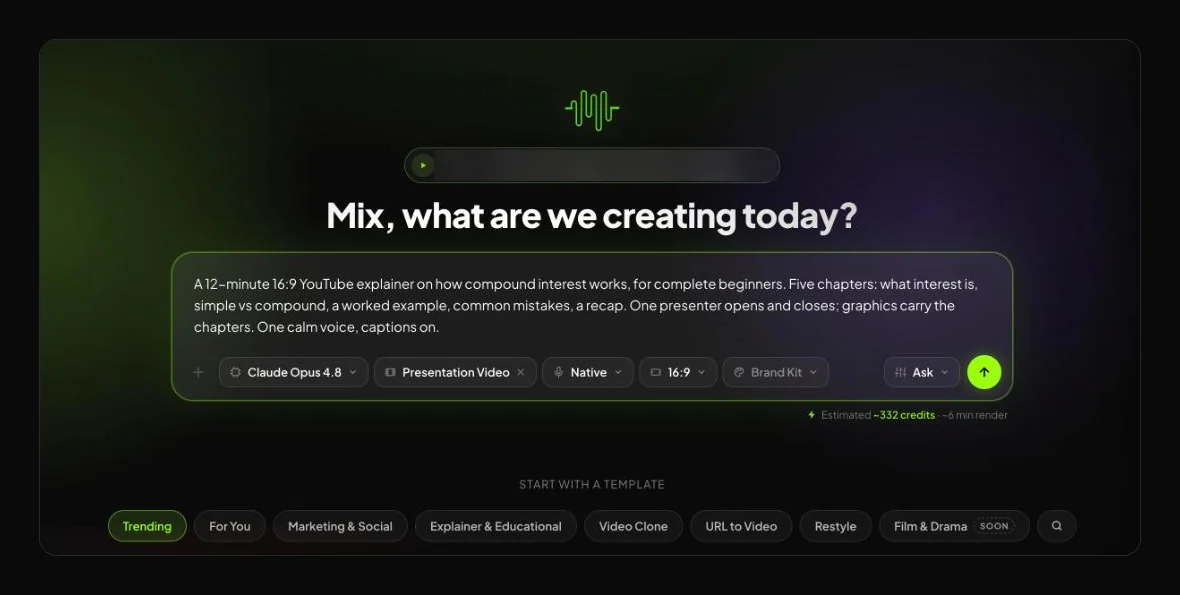
Describe the video and name the chapters.
Give the topic, audience, length and chapters. Attach a script, link or images if you have them, and pick a presenter.
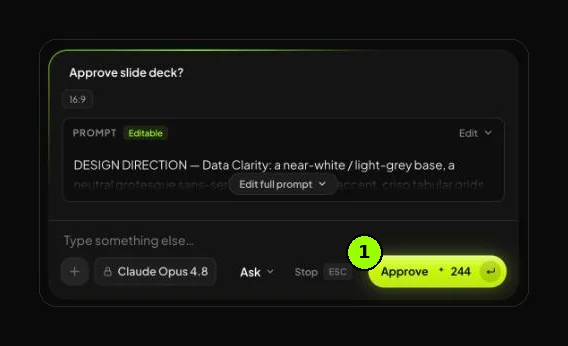
Check the storyboard, the length and the cost, then approve.
Read the chapter order first, then the lines, then the planned length. Planning is free, and the credit cost is on the approve button.
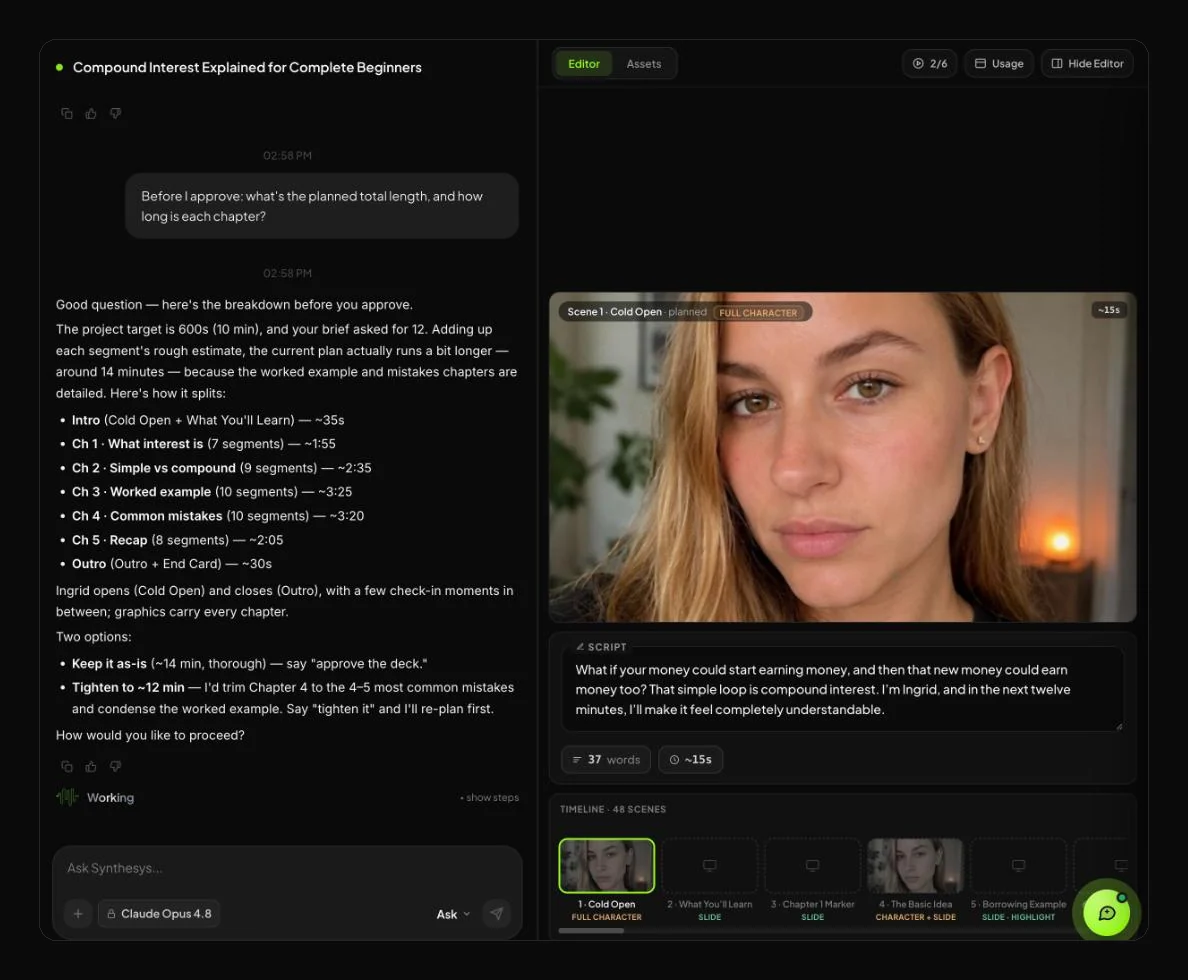
Let it render, edit by chat, then upload.
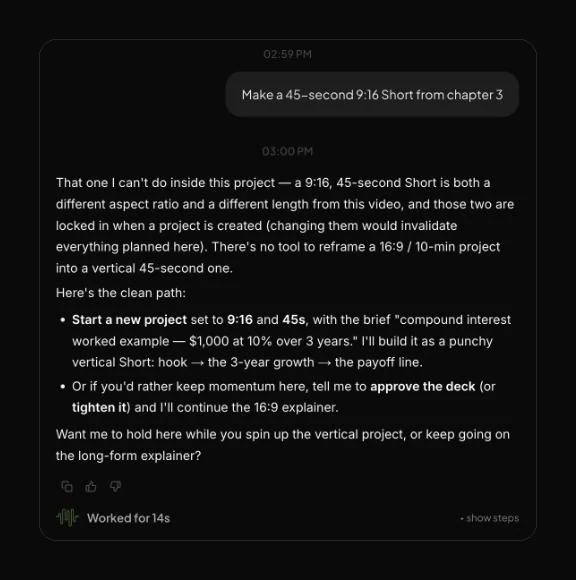
Long videos render in the background. Ask for changes in chat, such as a new line, or ask it to start a 9:16 Short from one chapter. Then upload the 16:9 file in YouTube Studio.
Which Synthesys formats make YouTube videos?
Full YouTube video and Presentation video run up to 30 minutes, and explainers 1 to 10. Every format exports in 16:9, 9:16 or 1:1.
| Format | Typical length | Use it for on YouTube |
|---|---|---|
| Full YouTube video | Up to 30 min | Main uploads: explainers, top-five lists, deep dives, tutorials |
| Presentation video | 2 to 30 min | Lessons, course modules and company updates |
| Explainer video | 1 to 10 min | One idea, explained properly |
| Whiteboard explainer | 1 to 10 min | Teaching step by step, when drawing it out helps |
| Vox-style explainer | 1 to 5 min | Short editorial breakdowns, in 10 looks |
| Faceless story | 30 sec to 10 min | Story and facts channels with no one on camera |
| Option | What you get |
|---|---|
| Length | 10 seconds to 30 minutes, depending on the format |
| Shape | 16:9 for YouTube, 9:16 for Shorts, 1:1, or all three from one brief |
| On screen | A presenter, graphics, or a mix of both |
| Presenter | The character library, a described presenter, or your digital twin from one short clip |
| Voice | 400+ AI voices in 140+ languages, or your own cloned voice |
| Commercial use | Full commercial rights on every plan |
How long can an AI video be?
It depends on the tool. Clip tools make 4 to 30 seconds per generation, and you stitch the rest. Agents and avatar tools build whole videos: Synthesys up to 30 minutes, HeyGen up to 60 on its Business plan.
Published limits, checked on 13 October 2026:
| Tool | Longest single video, as published | How it gets long |
|---|---|---|
| Synthesys | Up to 30 minutes | One brief; the agent plans and assembles every scene |
| HeyGen | 1 min on Free, 30 min on Creator and Pro, 60 min on Business, no cap on Enterprise | Avatar video rendered in one pass |
| OpenArt Director | Up to 5 minutes in one go | Plans a multi-scene video |
| Higgsfield | Scenes up to 30 seconds per Cinema Studio 4.0 generation | Join scenes in an editor, or Supercomputer assembles them |
| Google Veo 3.1 (Gemini API) | 4, 6 or 8 seconds per clip; 148 seconds with Extend, at 720p | Up to 20 extensions of 7 seconds |
Where HeyGen goes further: for one 60-minute avatar video in a single file, HeyGen's Business plan covers it. Synthesys stops at 30 minutes, so longer material becomes a series.
YouTube has its own limit: uploads over 15 minutes need a verified account (YouTube Help).
Can you automate a YouTube channel with AI?
You can automate most of the production, not the judgment. YouTube won't pay for mass-produced template videos, so each video needs its own angle.
YouTube automation means running a channel while tools, freelancers or AI handle production (Wikipedia).
- The agent does: the script, voice, visuals, captions, music, the cut, Shorts and other languages.
- You still do: the topic, the angle, the fact check, the title, the thumbnail and the upload.
- YouTube's money rule: since 15 July 2025, it won't monetize "AI-generated content made with generic or unoriginal templates" that looks mass-produced (YouTube).
- YouTube's label rule: realistic AI footage and AI music need a disclosure. Script help, captions, clearly unrealistic animation and your own cloned voice don't (YouTube).
Planning a whole channel? Read how to start a faceless YouTube channel with AI.
Who uses an AI YouTube video generator?
People who need regular long videos but can't film and edit each one. Educators come first for us, then explainer channels, businesses and agencies.
- Educators and course creators. Lessons up to 30 minutes, with one presenter from first scene to last.
- Explainer and faceless channels. Deep dives, top-five lists and tutorials carried by graphics.
- Businesses. Product walkthroughs, onboarding and training videos, public or unlisted.
- Agencies. A storyboard the client approves before anything renders, in 140+ languages.
What are the limits of AI YouTube videos?
Thirty minutes is the ceiling, and a long first cut needs a human check.
- A hard cap. Each video runs up to 30 minutes, so a full course becomes a series.
- Plans can run long. Check the planned length on the approval card and fix it in chat.
- First cuts need a check. Watch with the sound off for captions, and check every chart against your numbers.
- You own the facts. Our test script had one wrong number. We fixed it in chat before rendering, at no charge.
- Upload is manual. Use YouTube Studio. In-app publishing covers TikTok, Instagram and Facebook (Agency plan and up).
When not to use Synthesys for a YouTube video
If your channel runs on you reacting live on camera, film it yourself; people subscribe for that. For one file over 30 minutes, or shots directed frame by frame, use a clip tool and an editor. And YouTube won't pay for the same template every day, whichever tool made it.
The mistake that stalls most long AI videos
Treating a 20-minute video as one long prompt. People type a topic, skip the storyboard and approve, then find out in minute 12 that the order is wrong. Name your chapters in the brief and read the storyboard chapter by chapter. It's the only point where a fix costs nothing.
Frequently asked questions
Last updated:
How long can a YouTube video made with Synthesys be?
Up to 30 minutes, depending on the format. Full YouTube videos run up to 30 minutes and presentation videos 2 to 30. Longer material works best as a series.
Can AI-generated YouTube videos be monetized?
Yes, if each video is original. Since 15 July 2025, YouTube won't monetize AI content made with generic templates that looks mass-produced.
Do I have to label AI videos on YouTube?
Yes for realistic AI footage, such as a real place, and for AI music. Script help, captions, clearly unrealistic animation and your own cloned voice need no label.
Can I upload a 30-minute video to YouTube?
Yes, once your account is verified. Unverified accounts can upload up to 15 minutes. You verify in the YouTube mobile app with a code by text or voice call.
Is there a free AI YouTube video generator in Synthesys?
Synthesys has no free plan, but scripts, storyboards, voiceover, music and chatting with the agent are free. Credits pay only for the render you approve, and a failed generation costs nothing. See pricing.
Make your first YouTube video
Describe the video in one sentence. You'll see the script, the storyboard and the credit cost before anything renders.