How to Make Long AI Videos Without Stitching 8-Second Clips
Most AI video tools make 4- to 15-second clips. Here's how to make a 10- to 30-minute AI video from one brief, with a storyboard you approve before it renders.



Do you ever wonder why long AI videos usually end up as an afternoon in an editor? Most AI video models give you 4 to 15 seconds per clip, and a 30-minute video is 1,800 seconds.
We've built Synthesys since 2020, and our platform has rendered over 1,000,000 videos since. Our users make lessons, sales presentations and YouTube explainers, and those don't fit in 8 seconds.
Most AI video tools hand you a clip and wish you luck with the other 29 minutes. We built our agent so you describe the whole video once and get the whole video back. Below are the math, the workflow, and what happened when we planned a 10-minute video and rendered a shorter one.
Why do most AI video tools stop at a few seconds?
Most AI video models generate one short shot at a time, usually 4 to 15 seconds. Longer videos come from extending or sequencing those shots, so continuity, pacing and assembly become your job rather than the model's. The published limits below show how short that window is.
Each tool publishes its own limits, checked on 28 September 2026:
| Tool | Length per generation | How it gets longer |
|---|---|---|
| Google Veo 3.1 (Gemini API) | 4, 6 or 8 seconds | Extend by 7 seconds, up to 20 times, for up to 148 seconds at 720p |
| Runway Gen-4 | 5 or 10 seconds | Combine clips in editing software |
| Higgsfield long video generator | Up to 15 seconds per shot | Sequences shots into multi-shot videos |
| OpenAI Sora 2 (API) | 4, 8 or 12 seconds | Extensions of up to 20 seconds; the API shut down on 24 September 2026 |
Runway's own help centre puts it plainly. Each storyboard frame "should correspond to a potential generation, typically lasting 5-10 seconds." To go beyond the individual generation limits, you join them in an editor.
How many clips does a 30-minute AI video take if you stitch it yourself?
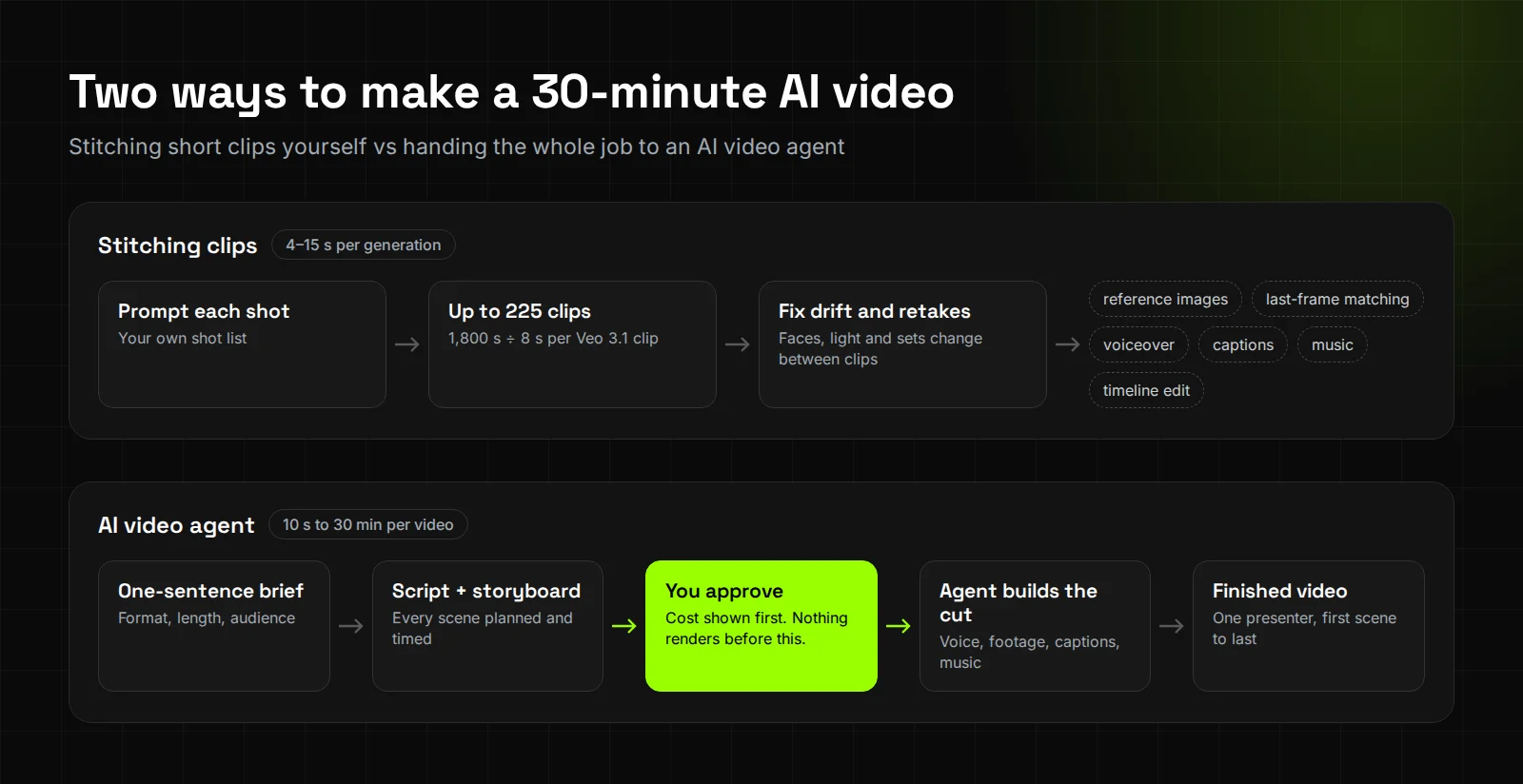
Between 120 and 225 clips, and that assumes every clip works first time. After that you still need voiceover, captions, music and an edit to join them. That's why most "long AI video" tutorials turn out to be editing tutorials, not generation tutorials.
Here's the arithmetic for 1,800 seconds, using the limits above:
- Veo 3.1 at 8 seconds: 225 clips. With Extend, each chain tops out at 148 seconds, so you'd need 13 separate chains.
- Sora 2 at 12 seconds: 150 clips.
- Runway Gen-4 at 10 seconds: 180 clips.
- Higgsfield at 15 seconds per shot: 120 shots.
The clip count isn't the hard part. Keeping those clips consistent is.
A Higgsfield creator story about one-hour AI films says "character appearance, lighting, backgrounds, and body positions can change between clips." It adds that "some scenes still require many generation attempts before one works." Each of those films takes 20 days to a month.
How do you make a long AI video without stitching clips?
Give the whole job to an AI video agent. You describe the video once, read the script and storyboard, check the cost, then approve. The agent plans every scene, keeps it consistent and cuts it together, so the week in an editor goes away.
Synthesys is an AI video agent that replaces traditional video production end to end. Here's the workflow for a long video:
- Pick the format and length. Videos run from about 10 seconds to 30 minutes depending on the format, in 9:16, 16:9 or 1:1 (product page).
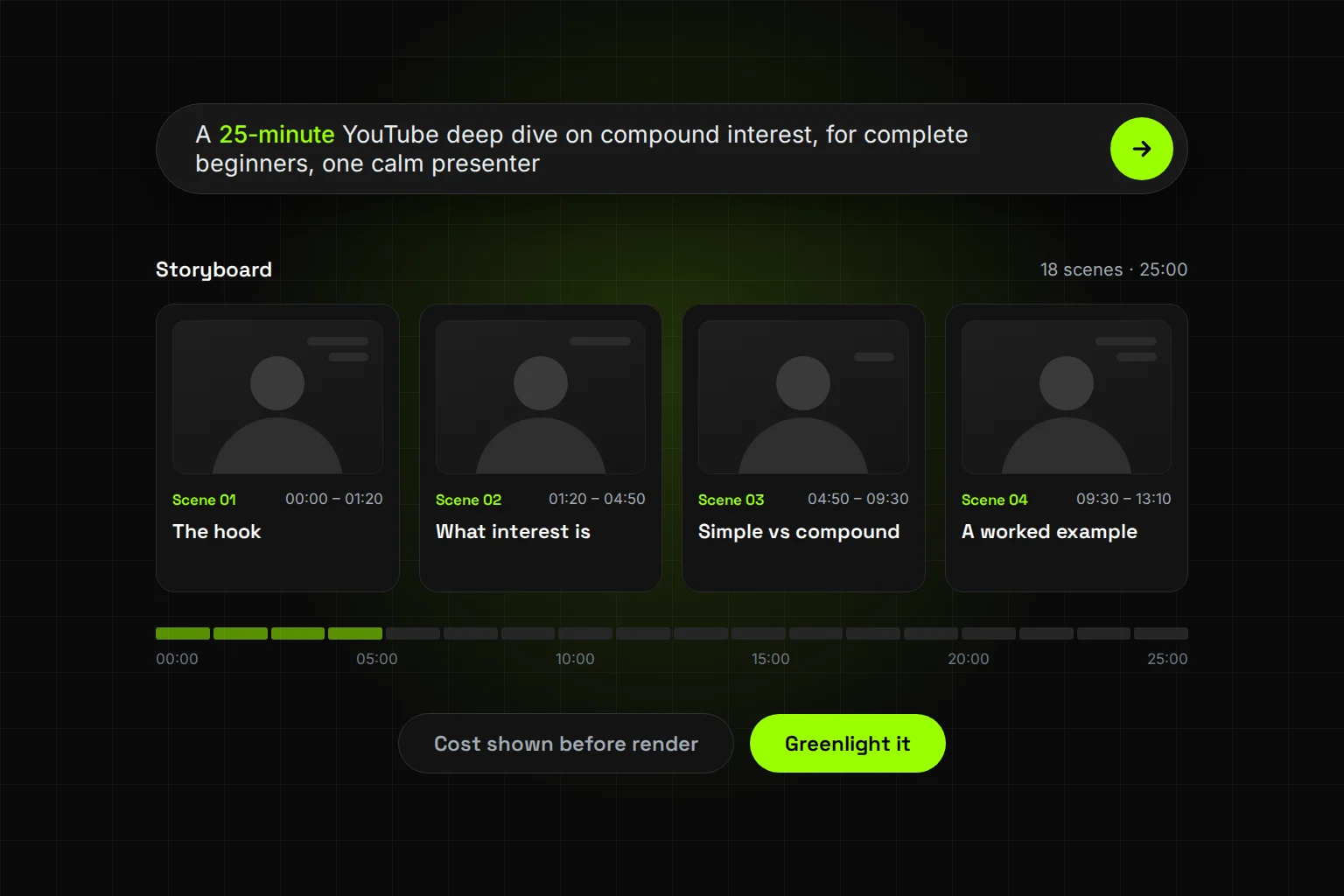
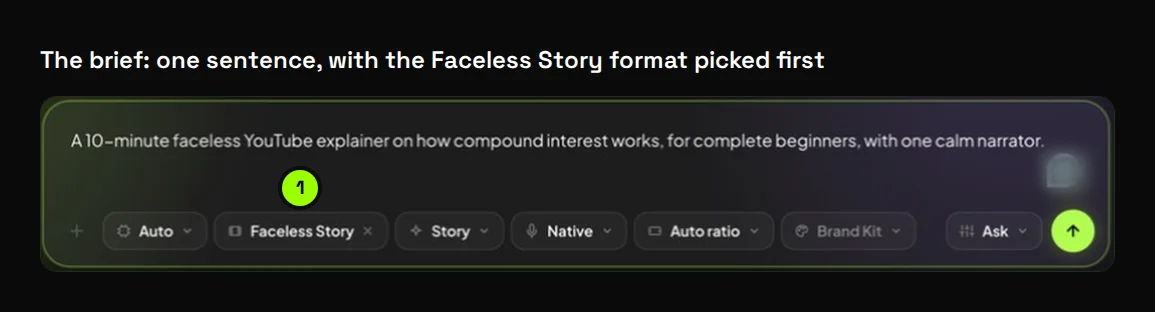
- Describe the video in one sentence. The brief we used for this guide: "A 10-minute faceless YouTube explainer on how compound interest works, for complete beginners, with one calm narrator."
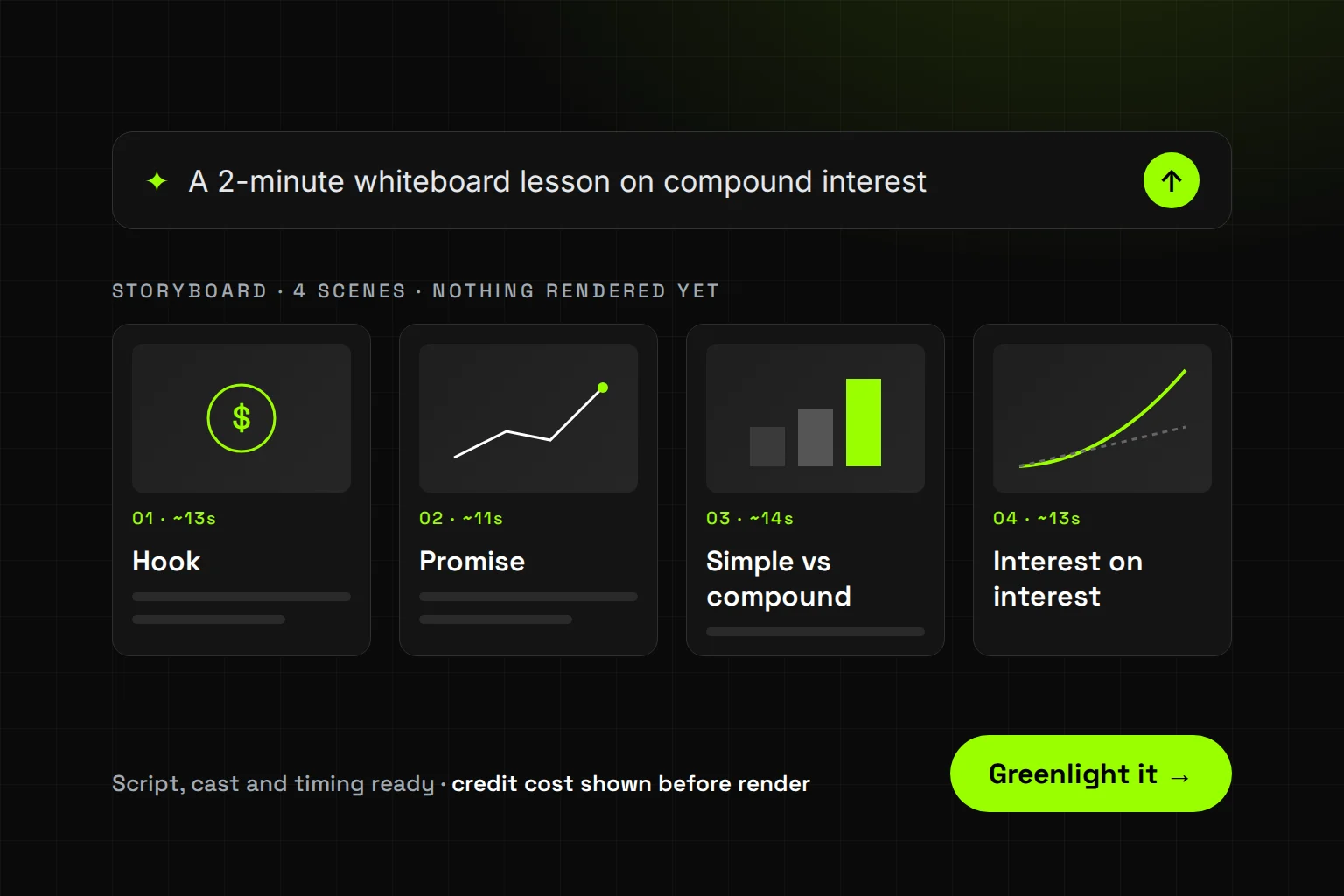
- Review the script and storyboard. The agent writes the script, plans every scene and lays them out on a storyboard. On a long video, check the chapter order first, then the lines.
- Check the cost, then approve. Nothing renders until you approve, and the credit cost is shown on the approve button. Scripts, storyboards, voiceover, music and chatting with the agent are free.
- Let it build. The agent voices the video, generates the footage, adds captions and music, and assembles the cut. The presenter stays the same "from the opening frame to the closing card."
- Edit by chat. Reorder scenes, rewrite a line, change the voice or music, or ask for another language ("now make it German").
What happened when we ran a real brief through it?
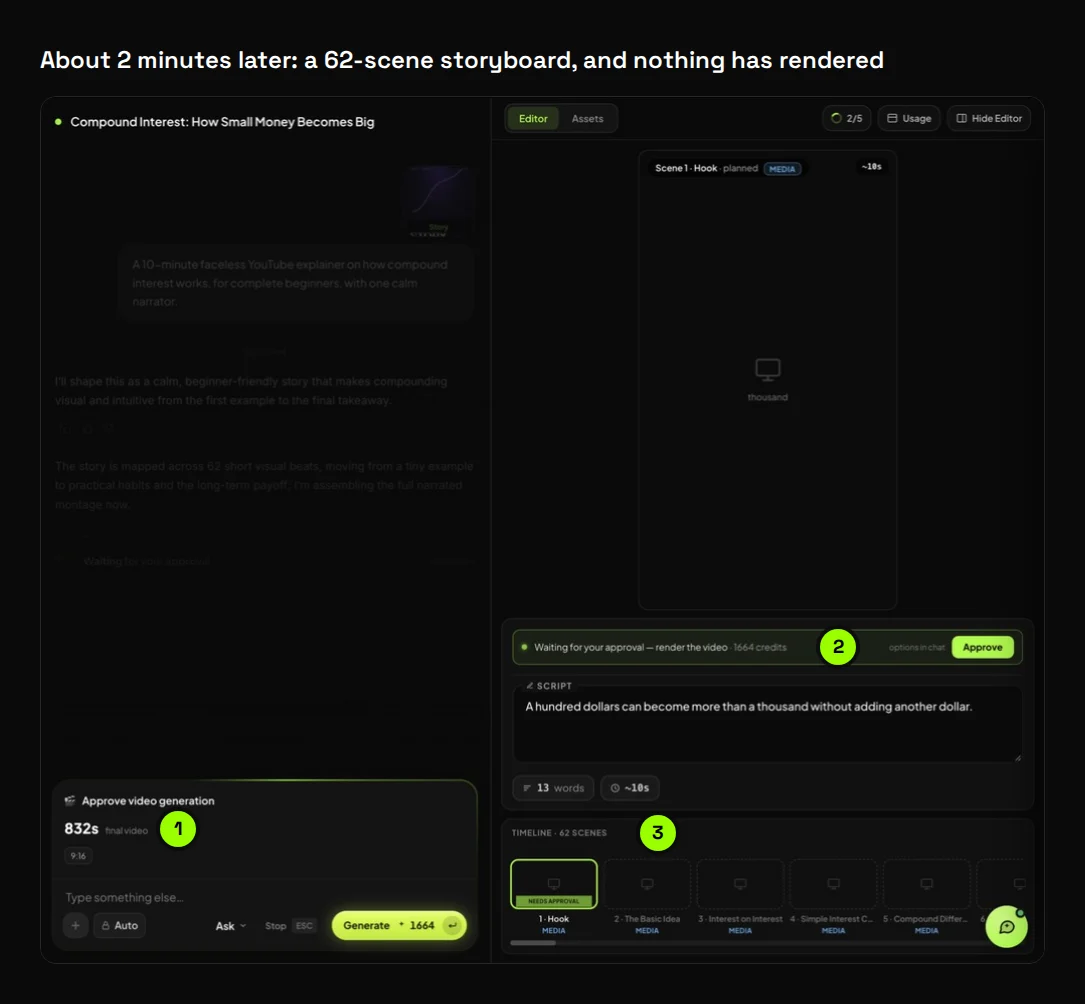
Our 10-minute brief came back as a 62-scene storyboard in about two minutes, with the cost on the button and nothing rendered. One chat message turned it into a 90-second version in under a minute. Both plans ran longer than we asked, which is exactly why you read the storyboard before you approve.
We ran this on 28 September 2026 in our own Synthesys account. We picked the Faceless Story format, typed the brief and left every other setting on its default.
Here's what the agent planned, before a single credit was spent:
| First plan | After one chat edit | |
|---|---|---|
| What we asked for | A 10-minute video | "Make it 90 seconds instead of 10 minutes." |
| Time to a storyboard | About 2 minutes | Under 50 seconds |
| Scenes | 62 | 29 |
| Planned length | 832 seconds (13 min 52 s) | 120 seconds |
| Aspect ratio | 9:16 | 9:16 |
| Rendered | No, waiting for approval | No, waiting for approval |
We cut it to 90 seconds because we didn't need a long render to show the workflow. One sentence in the chat, and the agent rebuilt the plan around the core example, the snowball effect and one takeaway.
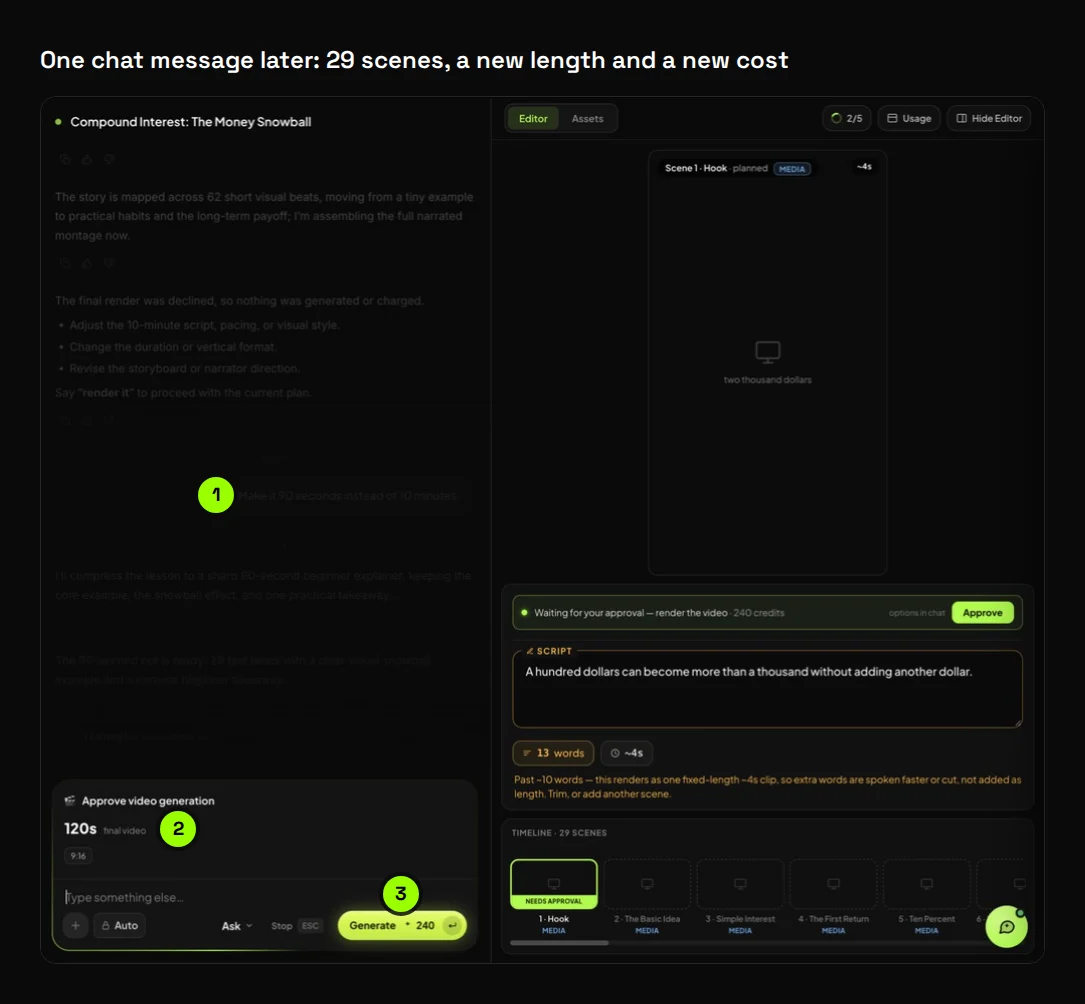
One thing surprised us. The 10-minute plan ran about 39% long, and the 90-second plan ran a third long.
Both lengths were on the approval card before we'd spent anything. That's the whole point of the checkpoint.
What does a finished AI video actually look like?
Close to publishable, with two fixes we'd make first. We rendered a 60-second version of the same compound interest brief. The first cut came back about a minute and a half after we approved it, with narration, captions and music. The voice was right. The captions and some of the footage weren't.
Rendering the full 13-minute plan wasn't worth the credits for a test. So we made a short version on the same topic, in the same Faceless Story format. The brief, with one new request at the end: "A 60-second faceless YouTube explainer on how compound interest works, for complete beginners, with one calm narrator and a different visual in every scene."
The storyboard came back in under 40 seconds: 12 scenes, 60 seconds planned, 9:16. The estimate under the prompt box had said about 60 credits, and the approval card asked for 120. Trust the number on the card, not the guess before the plan exists.
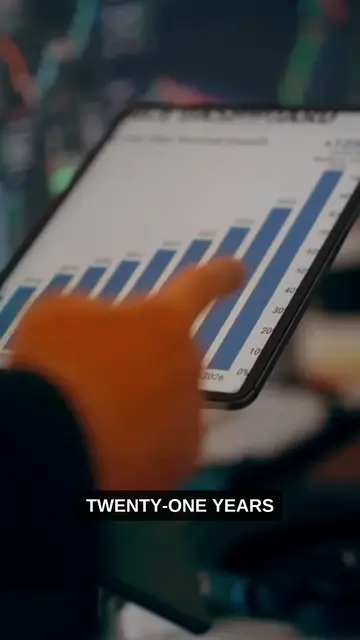
Then we read the script, and scene 10 had a wrong number. It said $100 growing at 10% a year "can pass seven hundred after twenty years." It can't. After 20 years it's $672.75, and it only passes $700 in year 21.
We sent one chat message that named the scene and quoted the words. The corrected line came back in under a minute, and it cost nothing because nothing had rendered yet.
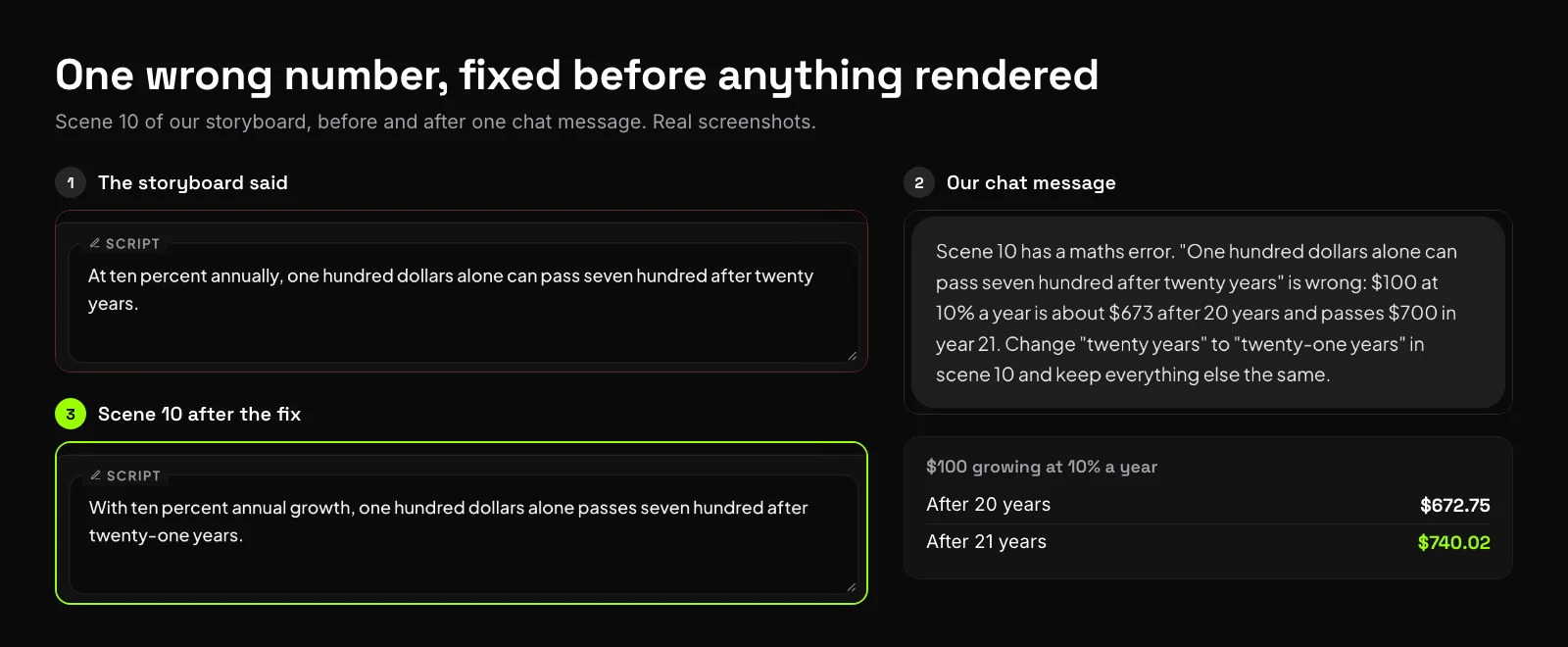
With that fixed, we approved it. By 6:32 after the brief, the finished video was in the editor, ready to download.
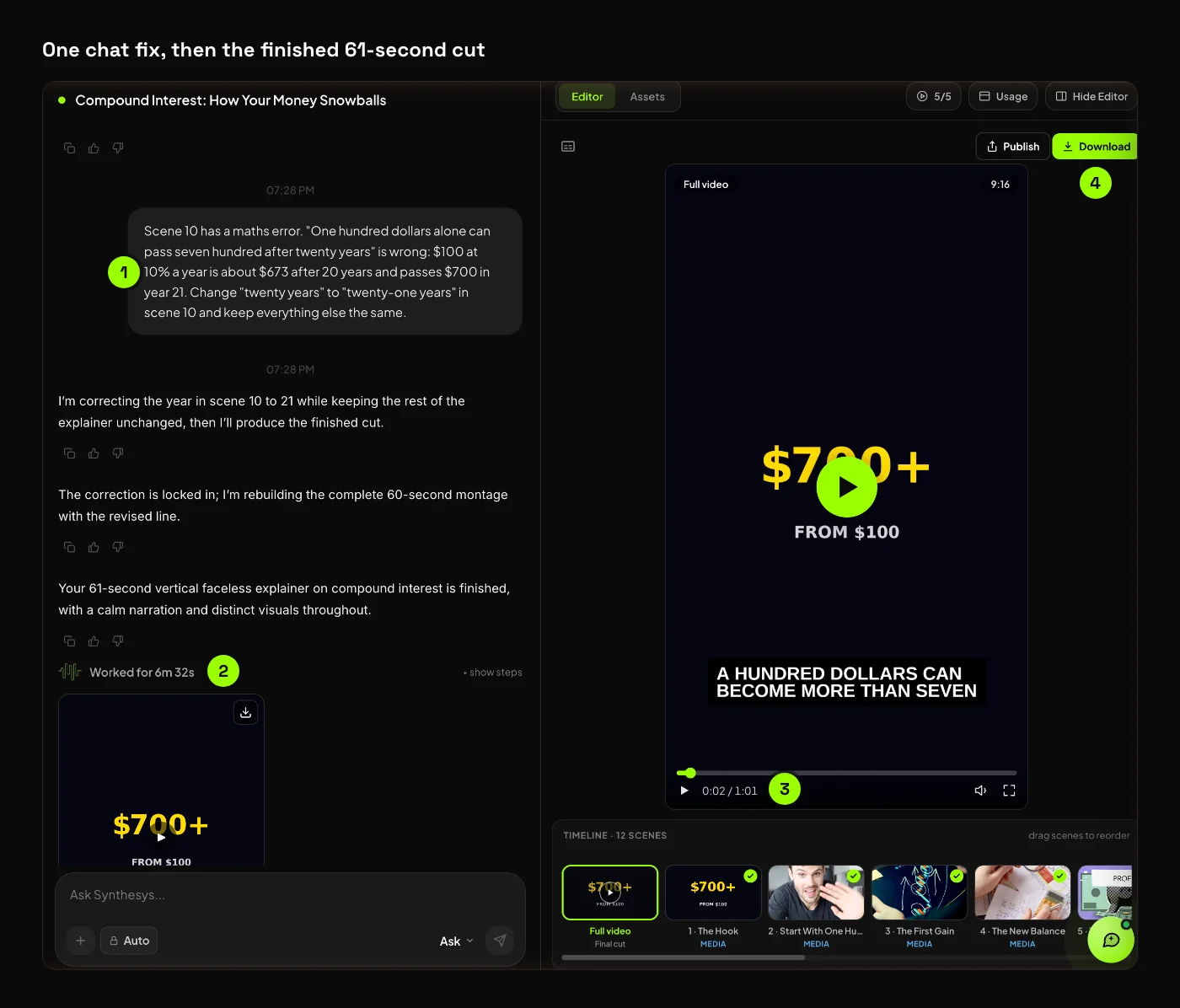
Here's the video as the agent delivered it. We haven't edited it.
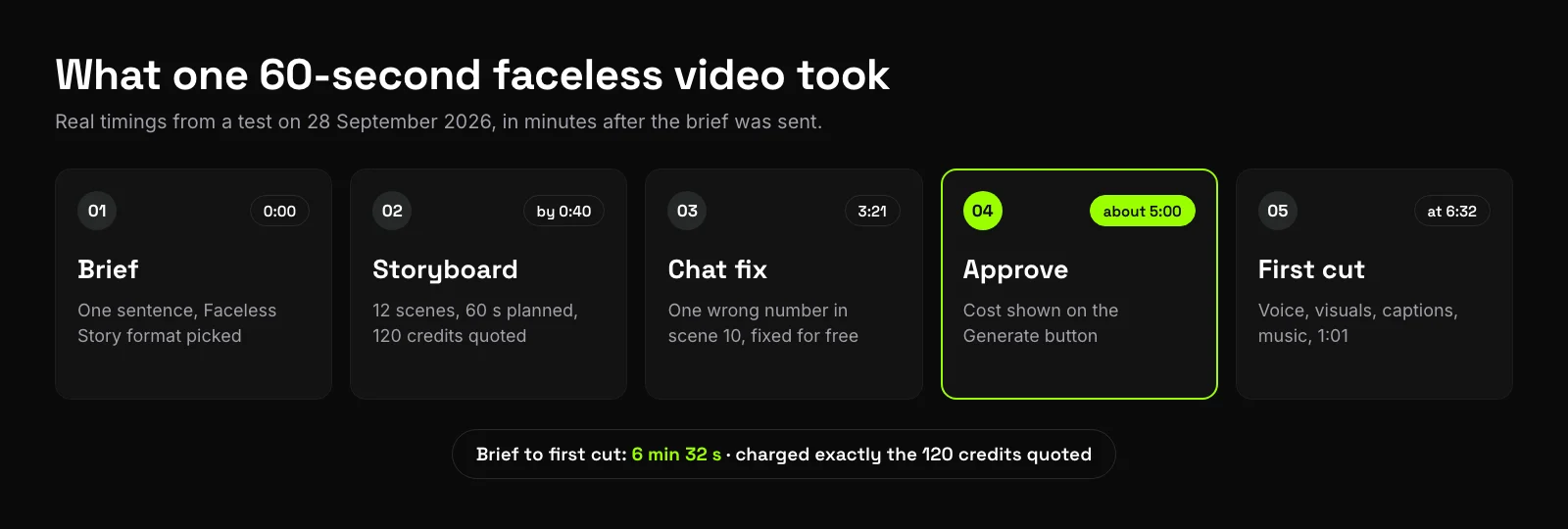
| Stage | Time after the brief | What we saw |
|---|---|---|
| Storyboard ready | by 0:40 | 12 scenes, 60 seconds planned, 9:16, 120 credits quoted |
| Scene 10 fixed in chat | 3:21 | One wrong number corrected in under a minute, no charge |
| We approved | about 5:00 | The cost was on the Generate button |
| First cut | 6:32 | 1:01 long, 1080×1920, narration, captions and music |
We were charged exactly the 120 credits on the button, and the video ran one second over the 60 we asked for.
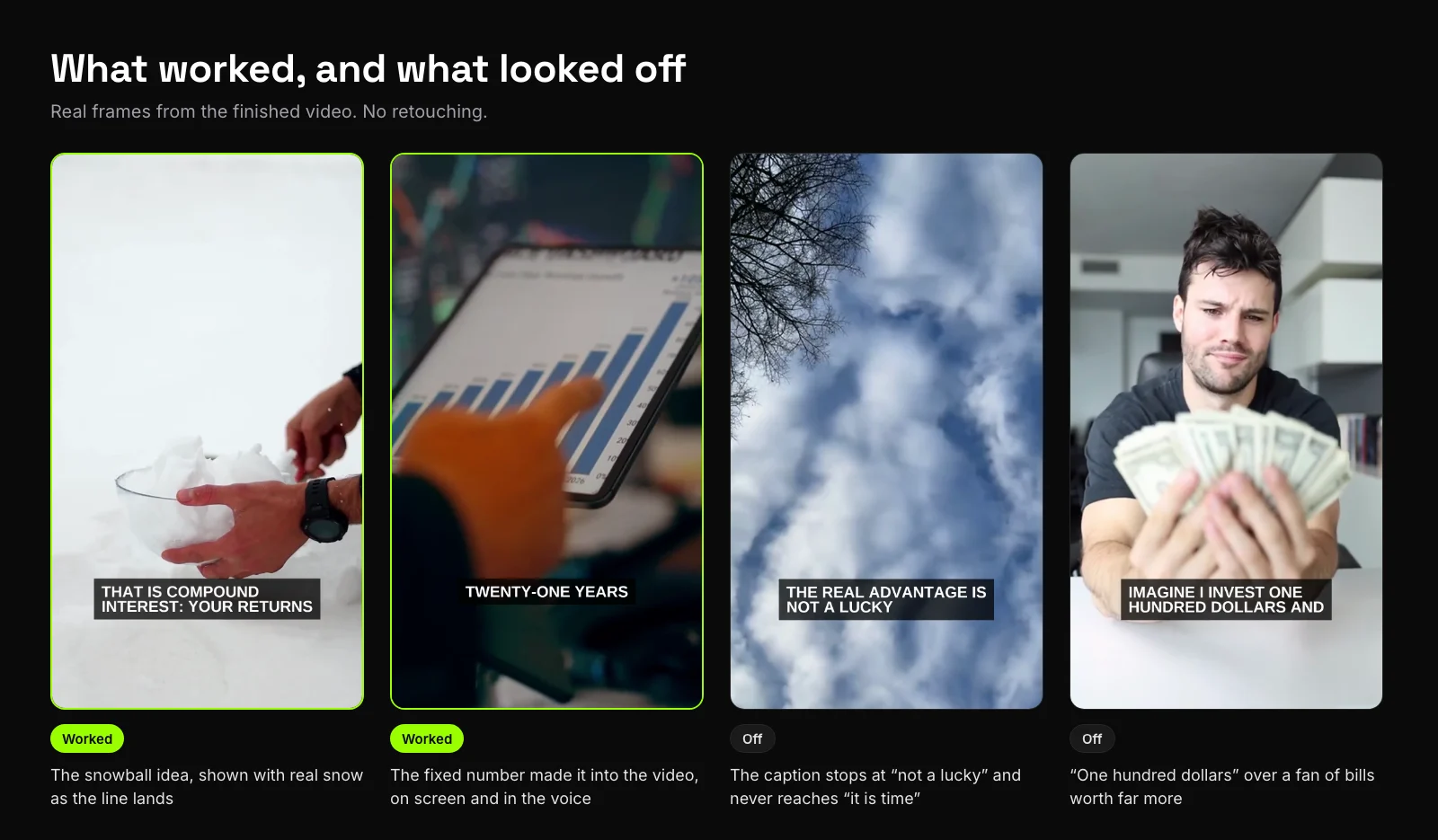
What worked:
- The words. The narration matches the script word for word, including the fixed line in scene 10. We checked it against a transcript.
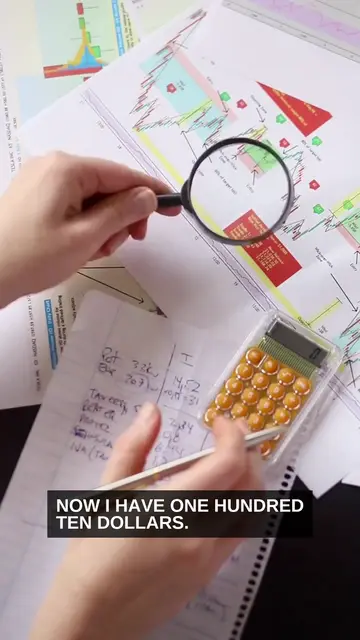
- Variety. Asking for "a different visual in every scene" worked. We got 12 scenes and 12 different shots, with no repeats.
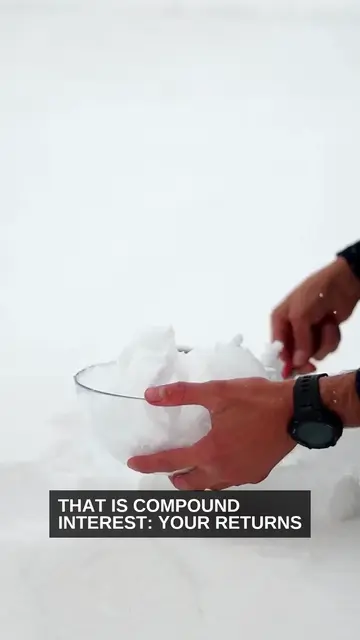
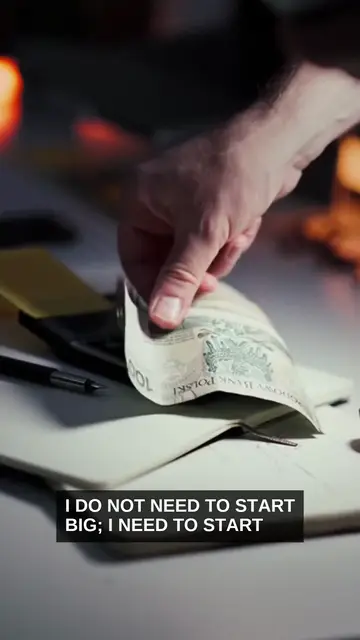
- The snowball. "Your returns start making returns" plays over hands packing snow, the image the whole video is named after.
- Length. We asked for 60 seconds and got 61. Scenes run 3 to 8 seconds, so nothing drags.
What looked off:
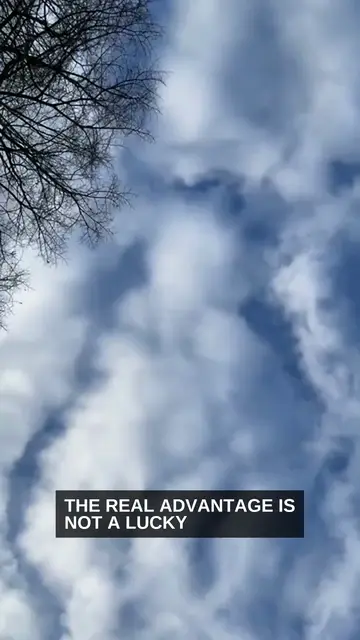
- Captions stop short. Each caption shows the first seven or so words of its line and then stays put. Scene 8 reads "THE REAL ADVANTAGE IS NOT A LUCKY" for five seconds, and the closing line gets no caption at all.
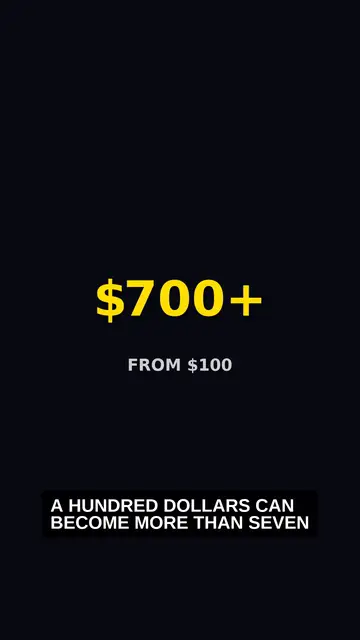
- The numbers stay in the voice. Apart from "$700+ from $100" on the opening card, the dollar amounts never appear on screen. The $110 and the $50 a month are only spoken.
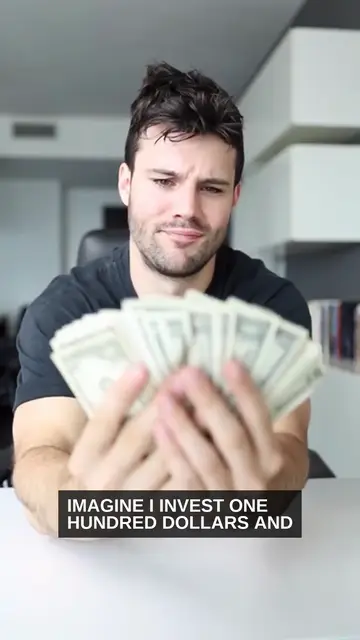
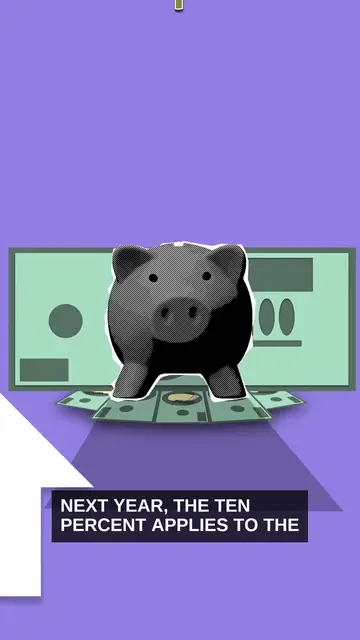
- Loose footage. "Imagine I invest one hundred dollars" plays over a man fanning out bills worth far more. Scene 5 also drops a cartoon piggy bank into otherwise live footage.
On a long video, these problems scale. Twelve half-finished captions are easy to miss in a minute. Sixty-two of them across 13 minutes are not.
So watch your first cut with the sound off, and read the storyboard for numbers, not just for order.
How should you plan a 30-minute AI video so people watch it?
Plan it as chapters, not one long prompt. Name the chapters in your brief, give each one a job, and read the storyboard chapter by chapter before you read single lines. The length should come from what you have to teach, never from padding, because padding is what makes people leave.
Length isn't the goal. Nobody finishes a 30-minute video because it's 30 minutes. They finish it because every few minutes they learn something.
Start by matching the length to the job. These ranges come from the Synthesys product page:
| Video type | Length range in Synthesys |
|---|---|
| Short social ad | Low end of the range, from about 10 seconds |
| Presentation video | 2 to 30 minutes |
| YouTube explainer, top-five list, deep dive or tutorial | "Ten minutes or thirty" |
| Training course video | Up to 30 minutes per video (AI video generator page) |
Then shape the brief:
- List the chapters in the brief. "Five chapters: what interest is, simple vs compound, a worked example, common mistakes, a recap."
- Keep one voice. One narrator across 30 minutes feels like one video. Three voices feel like a playlist.
- Check the length on the approval card. In our tests, two of our three plans ran longer than we asked. Fix it in chat before you approve.
Stitching clips or an AI video agent: which should you use?
Stitch clips when you need a specific cinematic shot or control over every frame. Use an AI video agent when you need a finished explainer, lesson, presentation or YouTube video and the length is the hard part. Here's how the two compare on the six points that decide it.
| Stitching clips | AI video agent | |
|---|---|---|
| Length per step | 4 to 15 seconds per generation | The whole video, 10 seconds to 30 minutes |
| Planning | Your own storyboard and shot list | Agent writes the script and storyboard, you approve |
| Continuity | Reference images and last-frame matching by hand | One presenter held across every scene |
| Assembly | Editing software | Captions, music and final cut done by the agent |
| Changes | Regenerate the clip, re-edit the timeline | Ask in chat |
| Best for | Cinematic shots, music videos, short films | Explainers, lessons, presentations, YouTube videos |
The pillar guide to AI video agents goes deeper on how an agent differs from a generator.
What are the limits of long AI videos today?
Thirty minutes is the ceiling in Synthesys, and length alone doesn't make a video good. A long video still needs a clear script, someone who knows the subject checking it, and a look at the cost before you approve. Here's where it falls short today, including what we hit in our own test.
- There's a hard cap. Anything past 30 minutes, like a full course, becomes a series of videos.
- Plans can run long. Our 10-minute brief was planned at 13 minutes 52 seconds. Check the length on the approval card and fix it in chat.
- Check the format too. Our plan came back in 9:16, which suits Shorts and TikTok. If you want a standard YouTube video, ask for 16:9 before you approve.
- Visuals can be generic. Asking for a different visual in every scene got us 12 different shots, but most were stock footage that only loosely fits the line. On a long video, describe the shots you want for the key moments.
- Fixes need precision. Name the scene number and quote the words. Our scene 10 fix did both and landed first time.
- Captions can stop short. In our render, each caption showed only the start of its line. Watch the first cut with the sound off before you share it.
- Stay on the page to approve. When we left the project page mid-approval, the pending render was declined. Nothing was charged, but we had to ask again.
- You own the facts. The agent writes the script, so check every number and name. Ours said $100 at 10% passes $700 after 20 years. It takes 21.
- There's no free trial. Make a short video first to learn the workflow before you commit credits to a long one.
Try it
Describe your video in one sentence, review the script and storyboard, and see the credit cost before anything renders. Videos run from 10 seconds to 30 minutes, with 400+ voices in 140+ languages and commercial rights on every plan. Start a video in Synthesys.
Related reading:
- What is an AI video agent? Agent vs generator, explained
- The Synthesys AI video agent
- AI avatar quality in 2026: what actually matters
- AI YouTube video generator
- Faceless videos up to 10 minutes
Sources
All pages opened on 28 September 2026. The test results are first-hand, from our own Synthesys account on the same date.
- Google AI for Developers: Generate videos with Veo 3.1 in the Gemini API
- Runway Help Center: Creating with Gen-4 Video
- Runway Help Center: How to create longer videos and films
- OpenAI API Reference: Create a video (Sora 2, shut down 24 September 2026)
- Higgsfield: AI Long Video Generator
- Higgsfield Blog: How Gabo Produces One-Hour AI Films With Higgsfield (22 September 2026)
- Synthesys: AI Video Agent product page
- Synthesys: AI Video Generator
- Synthesys: Homepage
Frequently asked questions
How long can an AI video be?
Can Veo 3.1 make long videos?
Do I need video editing software to make a long AI video?
How do you keep the same character across a long AI video?
How long does an AI video agent take to make a video?
How much does a 30-minute AI video cost to make?
Keep reading
All posts →
AI Whiteboard Video: From Script to Final Cut in 6 Steps
How to Start a Faceless YouTube Channel With AI in 7 Steps
AI Video Credits: Why They Get Wasted and How to Stop It