AI Video Credits: Why They Get Wasted and How to Stop It
AI video credits mostly go on renders that miss the brief. Our real test shows where they leak, how models and prompts change cost, and what to check first.






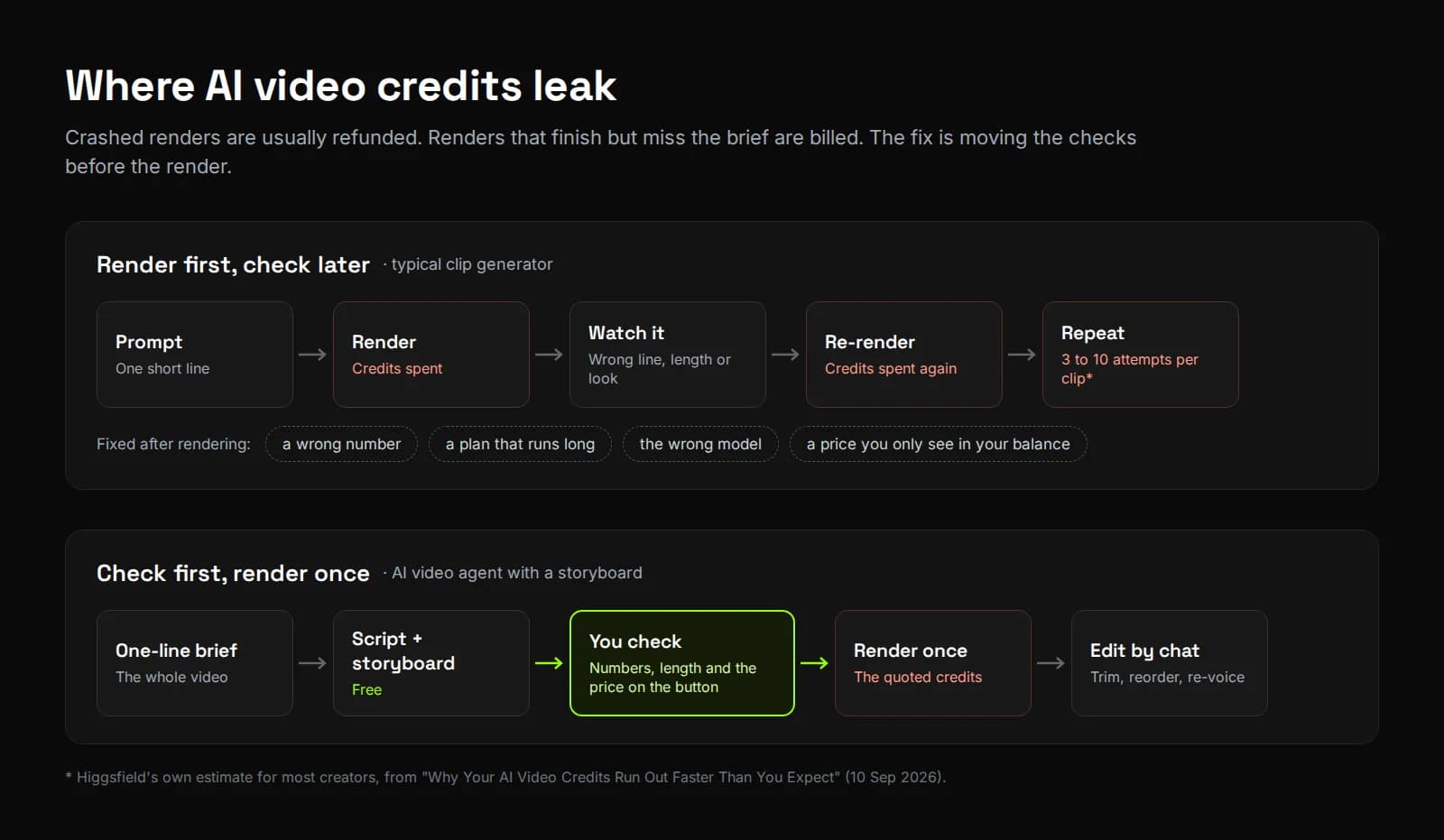
Are you spending AI video credits on renders you end up deleting? Credits lost to crashes usually come back. The ones you don't get back go on videos that rendered fine and still weren't right.
We started Synthesys in 2020, before credits were part of how this industry charged. When they arrived, they brought a new way to lose money: paying for attempts, not videos.
Almost right became the most expensive result in AI video. A crash gets refunded. A render that's 90% there gets paid for, and then paid for again.
For this post we went back to a test we ran on 28 September 2026 and followed every credit it quoted, spent and didn't spend.
Where do AI video credits actually go?
Almost every AI video tool charges for rendered output, by the second, the minute or the generation. The price moves with length, model and quality. On Google Flow, the same generation costs ten times more on the top Veo model than on the lightest one.
Here's how six tools publish their rates, checked on 30 September 2026:
| Tool | How it charges | Example from its own docs |
|---|---|---|
| Runway | Credits per second of video | Gen-4.5 uses 12 credits a second, so a 10-second clip is 120 credits (Runway) |
| HeyGen Video Agent | Credits per minute of video | About 30–40 credits a minute in Standard mode, 90–120 in Seedance mode (HeyGen) |
| Google Flow | Credits per generation, by model | Veo 3.1 Lite costs 10 credits and Veo 3.1 Quality costs 100, for non-Ultra subscribers (Google) |
| TopView | Credits per video or per second, by feature | Its Viral Video Agent costs 5 credits for a 15-second video at standard quality and 7.5 at high quality (TopView) |
| Yapper | Monthly credits shared across 36+ video models | Per-model rates aren't listed on its pricing page (Yapper) |
| Synthesys | Credits per approved render | The price for each render is on the approve button before it starts (Synthesys) |
Why do AI video credits get wasted when nothing fails?
Because a render that completes is billed, whether you keep it or not. Runway and Higgsfield return credits automatically when a generation errors out. None of the tools we checked refunds a finished video with the wrong line, length or look.
Runway's help centre says credits "are automatically returned to your account shortly after a generation error" (Runway). Higgsfield says the same for failed generations (Higgsfield).
The expensive kind is the render that works. Higgsfield's own guide puts it plainly: "You pay per attempt, not per finished video." It estimates most creators need three to ten attempts per usable clip (Higgsfield). That's their estimate, not a measured figure. Yapper's pricing FAQ explains the economics: it says its upstream providers don't refund "the GPU processing time" behind each video, so it doesn't normally refund either (Yapper).
Five common leaks drive those extra attempts:
- Re-rolling one detail at a time. Each tweak to a prompt is a new paid render.
- Mistakes found after the render. A wrong number costs nothing to fix on paper and a full render to fix on screen.
- The wrong model for the job. Drafting on a flagship model spends the budget meant for the final cut.
- Guessing the price. If the cost only shows up in your balance, you can't budget attempts.
- Credits that expire unused. Runway's monthly credits expire on your billing date on Standard, Pro and Unlimited plans (Runway). HeyGen rolls unused plan credits over for one extra cycle (HeyGen). Yapper lets them build up to about twice your monthly allowance (Yapper).
What happened when we checked the plan before rendering?
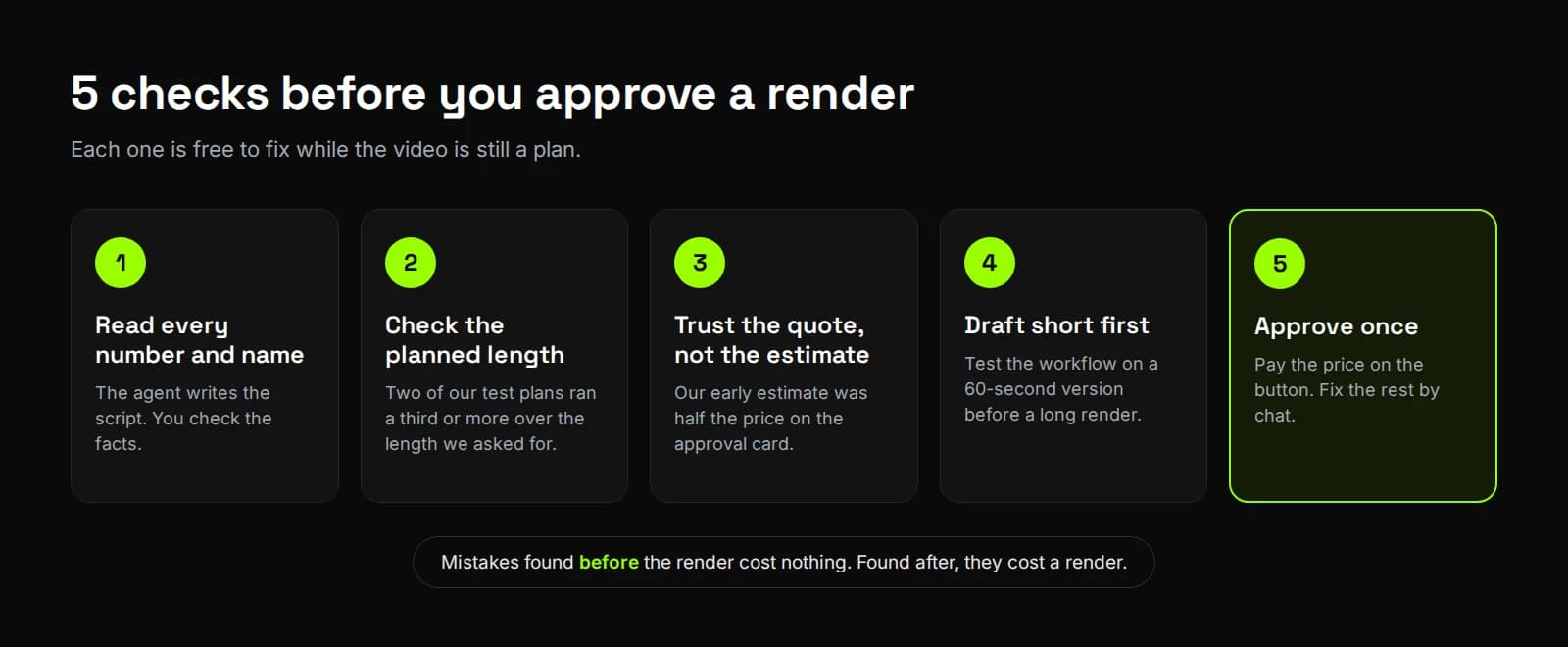
One chat message cut our quote by 1,424 credits before a single frame rendered. Our 10-minute brief came back 39% long, with a quote of 1,664 credits, and we cut it to 240. In a second project we caught a wrong number in the script, then paid exactly the price on the button.
We ran this for How to Make Long AI Videos, in our own Synthesys account. The brief was: "A 10-minute faceless YouTube explainer on how compound interest works, for complete beginners, with one calm narrator."
About two minutes later we had a 62-scene storyboard, planned at 832 seconds. The approve bar asked for 1,664 credits. We didn't need a 14-minute render to test a workflow. So we declined it and typed: "Make it 90 seconds instead of 10 minutes." The agent replied: "The final render was declined, so nothing was generated or charged." The new plan ran 120 seconds, for 240 credits.
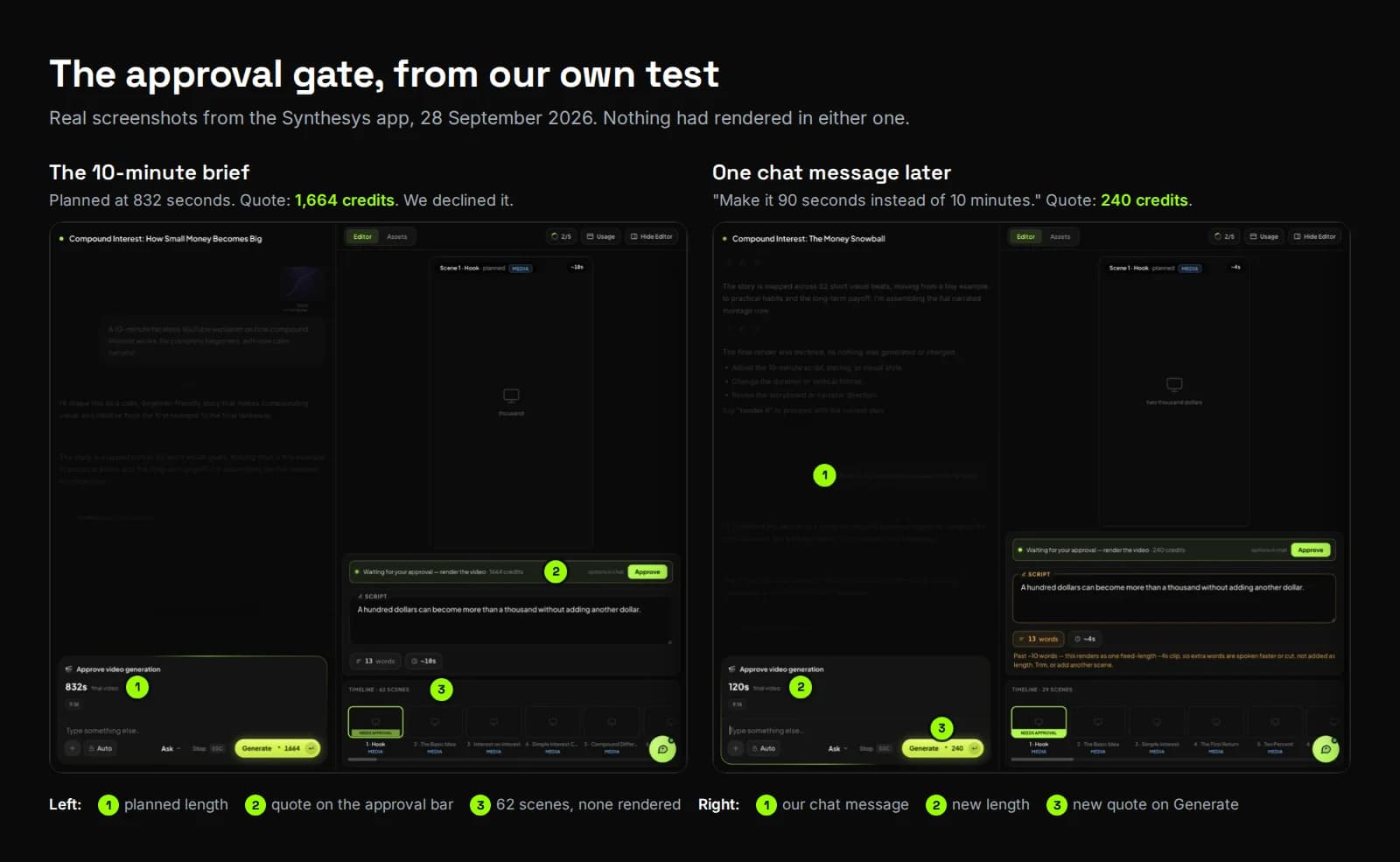
Then we made a 60-second version as a new project. Here's every credit, in order:
| Stage | What we saw | Credits spent |
|---|---|---|
| 10-minute brief | Planned 832 s (13 min 52 s), quote 1,664 credits; declined | 0 |
| "Make it 90 seconds instead of 10 minutes." | Planned 120 s, 29 scenes, quote 240 credits | 0 |
| 60-second brief, before planning | The estimate under the prompt box said about 60 credits | 0 |
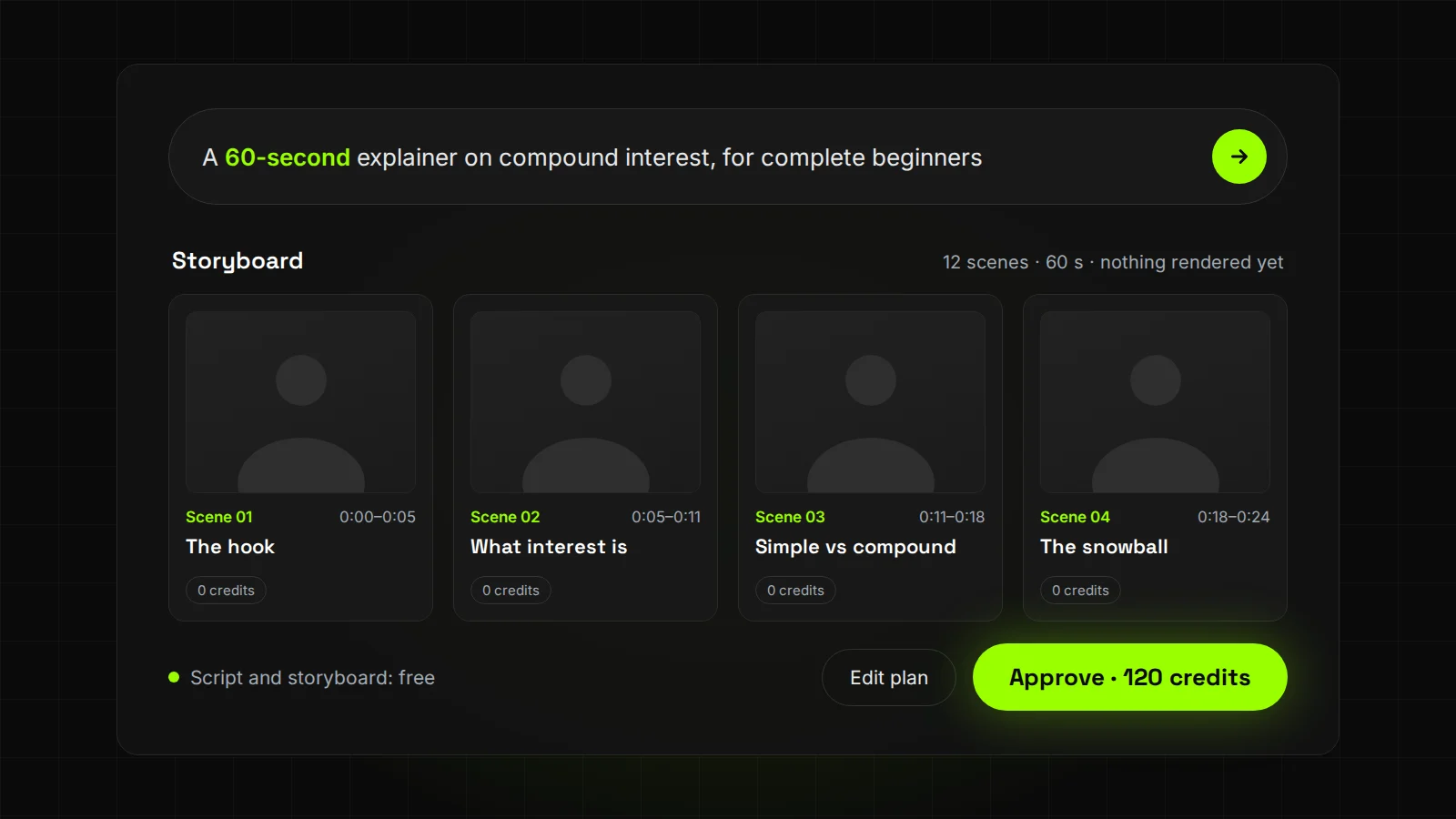
| Storyboard ready, after 40 seconds | 12 scenes, 60 s planned; the approval card asked for 120 credits | 0 |
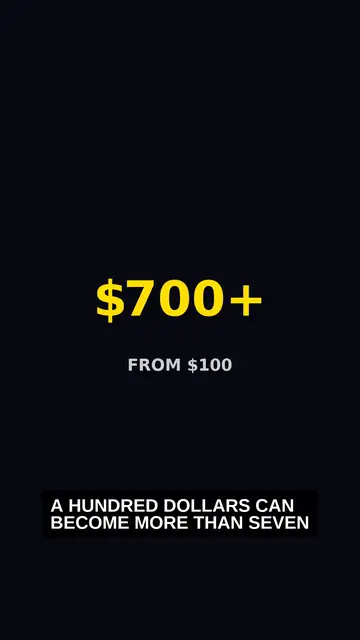
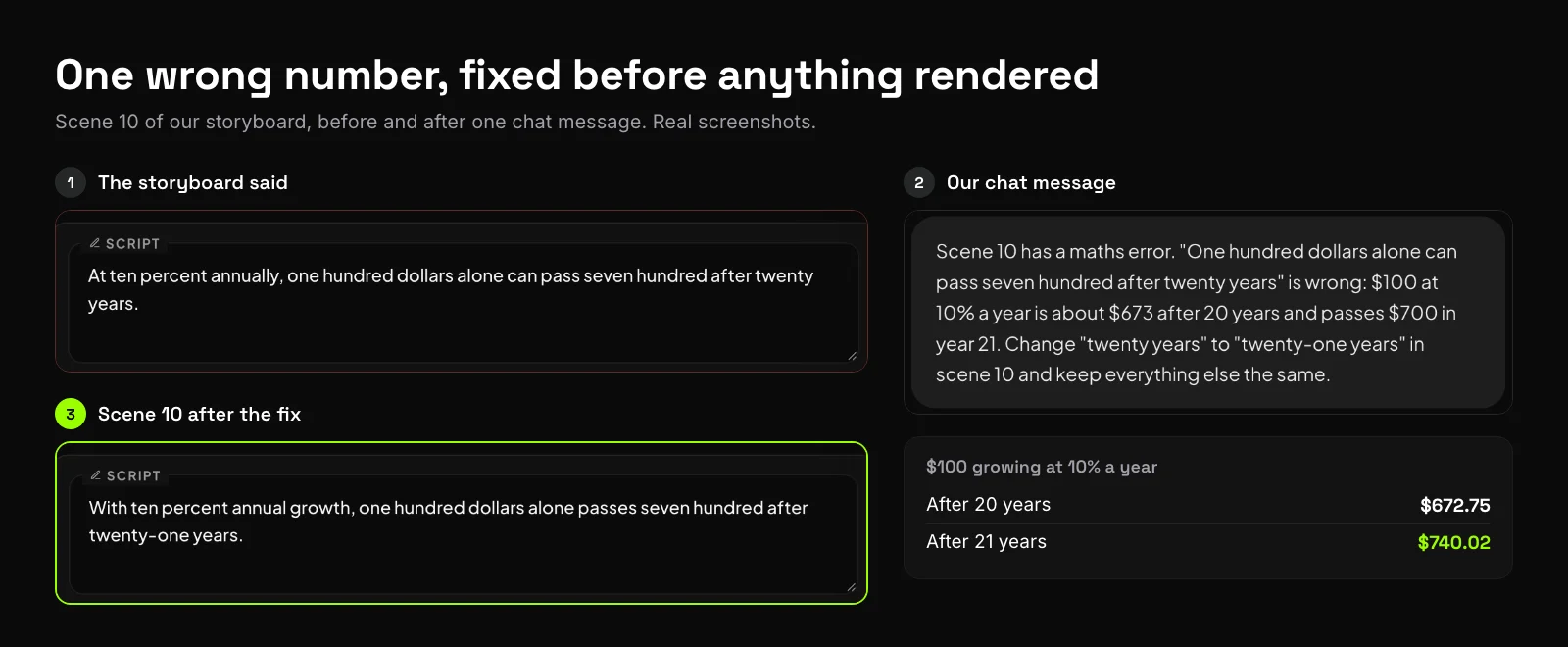
| Script check at 3:21 | Scene 10 said 100 dollars at 10% passes 700 after 20 years; it takes 21 | 0 |
| Render approved | Charged exactly 120 credits; the video ran 61 seconds | 120 |
Three things stood out. The quote tracked planned length exactly: 2 credits a second in all three plans, in the Faceless Story format we used. The early estimate was half the real price, so trust the number on the approval card. And the wrong figure cost nothing to fix, because we caught it while it was still text.
Does the AI model change how many credits you burn?
Yes, twice over. Each model has its own price per second or per generation, and each needs a different number of attempts to land the shot you want. The cheapest model per render isn't always the cheapest per usable video.
Google's own numbers show the first part. On Flow, Veo 3.1 Lite costs 10 credits a generation, Fast costs 20 and Quality costs 100, for non-Ultra subscribers (Google). HeyGen says its Seedance mode costs around three times its Standard mode (HeyGen). TopView prices quality the same way: 5 credits for a standard 15-second Viral Video Agent video, 7.5 for high quality, and 0.06 credits a second for Avatar 4 Fast against 0.1 for Avatar 4 (TopView). Yapper puts 36+ video models on one plan, which makes choosing the right one your job (Yapper).
The second part is attempts. The real cost of a usable clip is the price per generation times the number of tries. This worked example uses Google's Flow prices. The try counts are illustrative, not measured:
| Approach | Credits per generation | Tries until it's right | Credits for one usable clip |
|---|---|---|---|
| Quality model, loose prompt | 100 | 3 | 300 |
| Lite model only, loose prompt | 10 | 6 | 60 |
| Lite to draft, Quality once | 10, then 100 | 3 drafts, 1 final | 130 |
| Quality model, carefully written prompt | 100 | 1 | 100 |
Lite looks cheapest, but six tries on a light model may still not look like a final cut. The last row is the one to aim for: a careful prompt on the right model, rendered once.
In Synthesys the agent chooses the model for each render. Each render arrives with an approve card. It shows the prompt the agent wrote, which you can edit, plus the model, resolution and credit cost for that job (Synthesys). That card is where you catch a loose prompt before it costs anything.
How do you write an AI video prompt that lands first time?
Pin down what the model would otherwise guess: length, format, audience, what's on screen and any number that matters. Then make sure each scene's script line fits the scene's length. Every gap you leave is a choice the model makes for you, and it may choose differently next time.
Higgsfield's guide makes the same point: each blank in a prompt is a decision the model makes for you, and remakes on the next attempt (Higgsfield). Here are four examples, all from our own test.
1. The brief. Ours named the length, format, topic, audience and voice. It didn't cap the length, and the plan came back 39% long. On the 60-second version we added one request, "a different visual in every scene", and got 12 scenes with 12 different shots and no repeats.
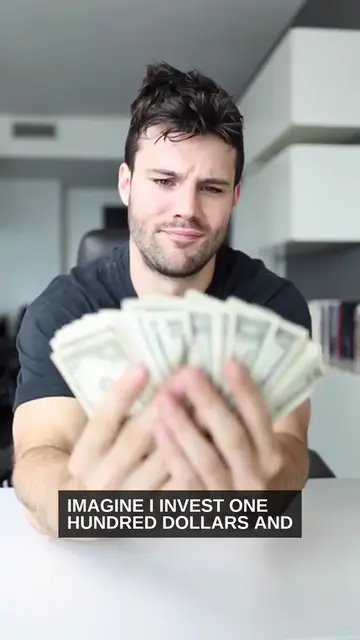
2. The scene. One line of narration said "Imagine I invest one hundred dollars." The footage showed a man fanning out bills worth far more. A scene prompt that says exactly what's on screen closes that gap. For example:
- Loose: "Man holding money."
- Specific: "Close-up of one hand placing a single 100-dollar bill on a wooden table. Nothing else in frame. Slow push-in, soft daylight, 4 seconds."
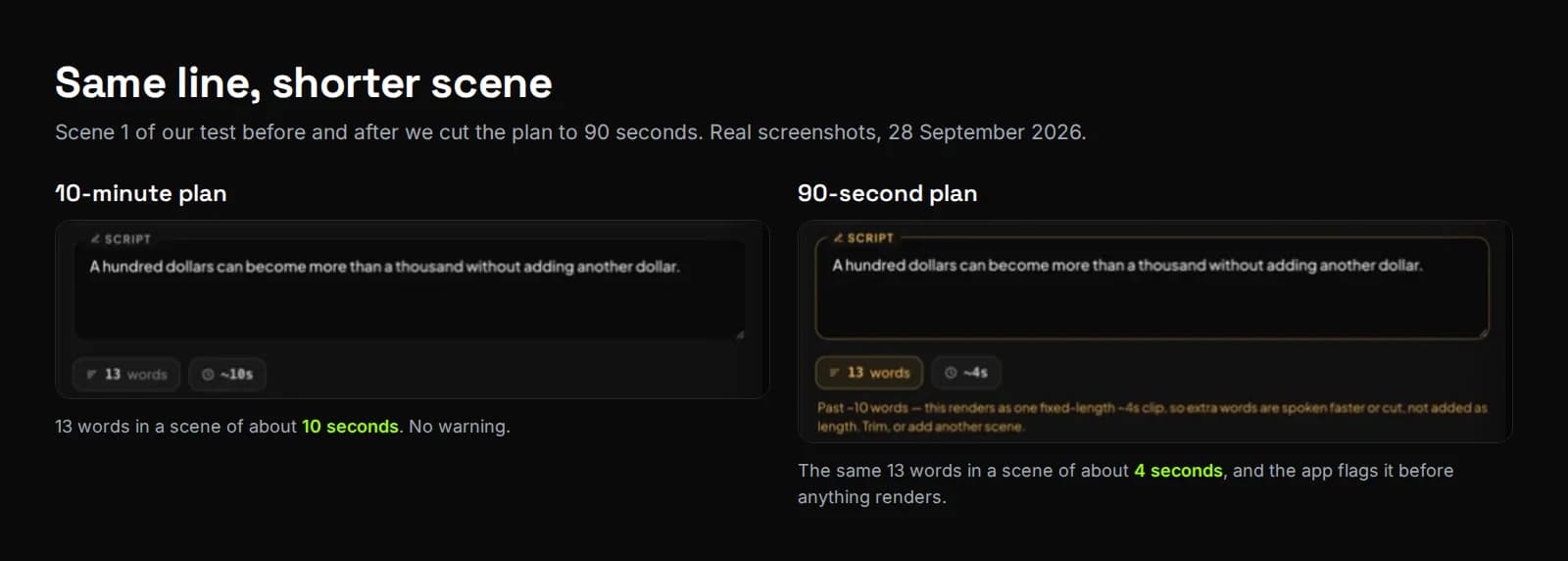
3. The script line. When we cut the plan to 90 seconds, scene 1 kept its 13-word line but shrank from about 10 seconds to about 4. The app flagged it before rendering: extra words "are spoken faster or cut, not added as length." Trim the line to about 10 words, or split it into two scenes.
4. The fix. Our chat message for scene 10 named the scene, quoted the wrong words, gave the right figure and said what to keep:
Scene 10 has a maths error. "One hundred dollars alone can pass seven hundred after twenty years" is wrong: $100 at 10% a year is about $673 after 20 years and passes $700 in year 21. Change "twenty years" to "twenty-one years" in scene 10 and keep everything else the same.
The corrected line came back in under a minute. The agent confirmed it was "keeping the rest of the explainer unchanged."
How do you see the cost of an AI video before you render?
Use a tool that prices the plan you approved, not a guess made before the plan exists. Planning should cost nothing, the exact credit cost should show before rendering, and a failed generation shouldn't be charged.
Here's what each tool's own documentation says, checked on 30 September 2026:
| Tool | Free before the render | Cost shown before the render | Failed generation |
|---|---|---|---|
| Synthesys | Script, storyboard, voiceover, music and chat | Yes, on the approve button | Costs nothing |
| HeyGen Video Agent | Chat, video plans and scripts | Yes, a confirmation card with the estimated total | Not covered in its FAQ |
| Higgsfield | Generations on covered Unlimited models, on mid and top plans | Yes, before the generation runs | Credits returned automatically |
| Runway | Not stated | Not stated on its credits page | Credits returned automatically |
| Google Flow | Not stated | Per-model costs listed under Settings in the prompt box | Not stated on its credits page |
| TopView | Not stated | Per-feature credits published in its usage guide | Not stated in its guide or terms |
| Yapper | Not stated | Not stated on its pricing page | Not stated on its pricing page |
Sources: Synthesys, HeyGen Video Agent FAQ, Higgsfield, Runway, Google Flow, TopView, Yapper.
For HeyGen's and Higgsfield's cost per minute of talking video, worked out from their own price lists, see Higgsfield vs HeyGen.
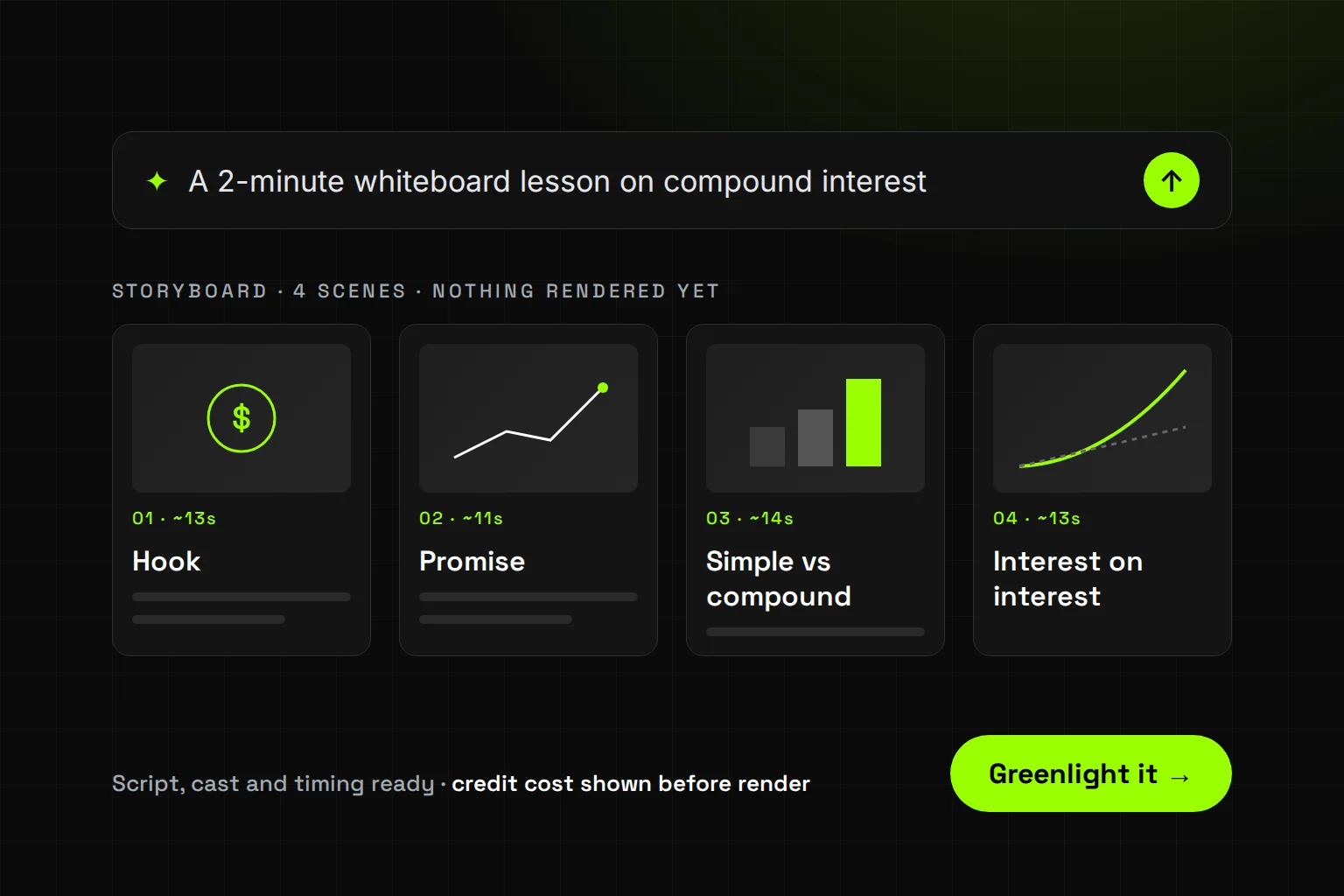
Synthesys is an AI video agent that replaces traditional video production end to end. You describe the video in one sentence, and it writes the script and lays every scene out on a storyboard. Nothing renders until you approve.
Nobody orders from a menu without prices. So we put the price on the button, where you decide, not in your billing history, where you find out.
What are the limits of seeing the cost first?
A price on the button tells you what a render costs, not whether you'll like it. Some problems only show up on screen, like captions, footage choices and pacing. No plan review catches those, so budget for one round of chat edits after the first cut.
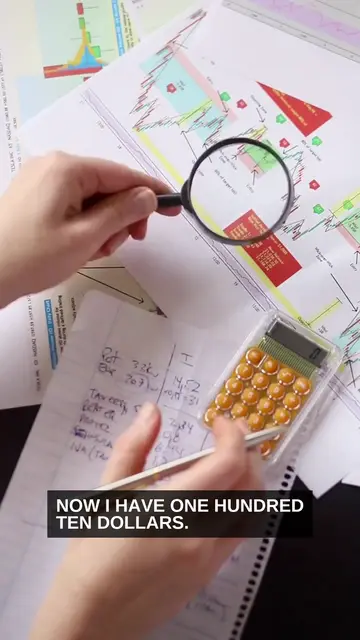
- Visual problems hide until the render. In our test, captions stopped after about seven words per line, and some footage didn't match the narration. None of that showed on the storyboard.
- Auto-run shows you less. In auto-run mode Synthesys goes from plan to finished cut without stopping at each scene. It still pauses if a choice would change the video (Synthesys).
- Early estimates can be far off. Ours was half the final quote.
- Your first render is paid. There's no free trial, so start with a short video.
Auto-run is fine once you've made that kind of video before and you trust the brief. For anything new, long or full of numbers, stop at every scene.
Try it
Synthesys writes the script and storyboard for free and shows the credit cost on the approve button before anything renders. Videos run from 10 seconds to 30 minutes in 9:16, 16:9 or 1:1, with commercial rights on every plan. Start a video in Synthesys.
Read next: What is an AI video agent?, How to make long AI videos without stitching clips and the Synthesys AI video agent page.
Sources
All pages opened on 30 September 2026. The test screenshots are from our own Synthesys account, 28 September 2026.
- Runway Help Center, How do credits work?
- Runway Help Center, Why am I receiving errors when trying to generate?
- HeyGen Help Center, Video Agent FAQ (29 July 2026)
- HeyGen Help Center, How to Use Credits on HeyGen
- Google Flow Help, Manage your Google Flow credits
- TopView, Official Guide: Usage and Credits Consumption (updated 14 January 2026)
- Yapper, Pricing
- Higgsfield, Why Your AI Video Credits Run Out Faster Than You Expect (10 September 2026)
- Higgsfield Help Center, Fix a Stuck or Failed Higgsfield Generation
- Synthesys, Synthesys Video Agent
- Synthesys blog, How to Make Long AI Videos Without Stitching 8-Second Clips (28 September 2026)
Frequently asked questions
Why do AI video credits run out so fast?
Do failed AI video generations cost credits?
Which AI video model uses the fewest credits?
How can I see the cost of an AI video before rendering?
How do I write an AI video prompt that works the first time?
Do AI video credits expire?
Keep reading
All posts →
AI Whiteboard Video: From Script to Final Cut in 6 Steps
How to Start a Faceless YouTube Channel With AI in 7 Steps
How to Make Long AI Videos Without Stitching 8-Second Clips