How to Start a Faceless YouTube Channel With AI in 7 Steps
How to start a faceless YouTube channel with AI in 7 steps, and stay inside YouTube's 2026 rules on templated AI content, monetization and AI disclosure.
Maybe you've tried a faceless YouTube channel with AI and ended up with 30 videos that all look the same. YouTube has a name for that: inauthentic content. Its monetization policy now names "AI-generated content made with generic or unoriginal templates" as content it won't pay for.
That doesn't make AI the problem. The same policy allows AI that serves an idea you bring. Synthesys has shipped AI voices since 2020 and AI avatars since 2021 (Synthesys). Here is how to start a faceless YouTube channel with AI that stays inside YouTube's monetization rules.
"Faceless video can carry a message, tell a story, teach or give a tip," says Peter Andrews, co-founder of Synthesys. "It has many uses, and it costs a lot less to make than filming."
What is a faceless YouTube channel?
A faceless YouTube channel publishes videos without the creator on camera. A narrator's voice carries the story over footage, animation, graphics or screen recordings. AI can now draft the script, voice it and build the visuals. The topic choice, the angle and the final check still have to come from you.
Common faceless formats are narrated explainers, top-five lists, animated stories, deep dives and tutorials. The shape decides where a video runs on YouTube and how long it can be.
| Format | Length limit | Shape |
|---|---|---|
| Shorts | Up to 3 minutes (YouTube Help) | Vertical |
| Long-form, unverified account | Up to 15 minutes (YouTube Help) | 16:9 |
| Long-form, verified account | Up to 12 hours or 256 GB, whichever is less | 16:9 |
Verifying means confirming a code sent by text or voice call (YouTube Help). 16:9 is the shape for YouTube's main feed (Synthesys).
What do successful faceless channels look like?
The biggest faceless channels prove the format, and most of them weren't built with AI. They run on a narrator, animation or music instead of a face. AI changes the cost of making that kind of video, not what makes it watchable: a clear idea and a consistent look.
| Channel | What replaces the face | Size | AI in production? |
|---|---|---|---|
| Kurzgesagt – In a Nutshell | Flat animation and one narrator | 25.3 million subscribers, 3.7 billion views (June 2026) | None mentioned |
| HowToBasic | Hands-only visual gags, no voice | 17.8 million subscribers (2025) | None mentioned |
| Lofi Girl | One looping animated character and 24/7 music | 15.8 million subscribers | None mentioned; drawn by an illustrator |
| Teddy Pooh (Instagram) | An AI-generated teddy-bear-meets-poodle character | 100,000+ Instagram followers (The Hollywood Reporter, June 2026) | Yes, fully AI-generated |
| Life Hack (Instagram) | Illustrated science and everyday-tips posts, no presenter | 5.3 million followers, 424 posts | Not stated on the page; its owner account teaches AI content creation |
Sizes from the linked pages, checked 1 October 2026.
The Instagram account @adrianviralai, which links to Adrian Durso's YouTube channel, describes itself as "Owner @lifehack". Durso's Adrian Viral AI Marketing YouTube channel covers tools like Veo 3, Kling and Midjourney, with 46,300 subscribers and 249 videos since February 2025. He says he has grown 10 million followers organically (his community page); that figure is his own claim.
The fully AI side is under pressure, though. In June 2026 The Hollywood Reporter reported that YouTube has been demonetizing faceless channels as it cracks down on "AI slop" (The Hollywood Reporter). Creators told the paper the algorithm now favours videos with human faces, though YouTube hasn't said so. Craig Billings, known as Doctor NOS to his 1.7 million subscribers, put it bluntly. "The people who do the same content as me without their face in it, most of them are getting demonetized."
What these channels share is a recognisable look and a reason to watch the next video. That's the same thing YouTube's monetization policy asks for.
Which faceless formats does Synthesys have?
These are the faceless-friendly templates in the Synthesys app's template list, with the lengths the app allows (checked 1 October 2026).
| Template | Styles | Length in the app | Default shape |
|---|---|---|---|
| Faceless story | Story, Listicle, Timeline, Facts, Biography, News Recap | Up to 10 minutes | 9:16 |
| Brainrot Edit (split-screen) | Product Facts, Storytime, App Tips, Listicle Countdown, Hot Take | Up to 90 seconds | 9:16 |
| Editorial explainer (Vox style) | 10 looks, from Editorial to Whiteboard Sketch and Infographic HUD | Up to 5 minutes | 9:16 |
| Whiteboard explainer | One whiteboard look | Up to 5 minutes | 16:9 |
| Full YouTube video | Presenter, graphics or both | Up to 30 minutes (Synthesys) | Any |
Every format exports in 9:16, 16:9 or 1:1. Finished examples made by the agent, including an animation story and a Vox-style explainer, play on the Synthesys Video Agent page.
What is faceless YouTube automation, and is it allowed?
YouTube automation usually means running a channel where tools or freelancers handle most of the production. YouTube doesn't ban it. If you use automated tools or templates, its policy says the final video "must still demonstrate your creative vision". It also has to give viewers real value.
YouTube's monetization policy mentions automated tools once, in that line. What its reviewers check is the channel as a whole: its videos, its description, its titles and its video descriptions (YouTube channel monetization policies).
That's where automated channels tend to trip. Trouble starts when fifty videos come from one template, with only the topic swapped.
See how to make long YouTube videos with AI.
Which faceless YouTube niches work best with AI?
Niches where you can add your own explanation or story to every video: history, science, how-to, original fiction and explainers. The risky ones are expert advice on money or health, readings of other people's articles and clip compilations, because YouTube's policies treat them strictly.
| Niche | Works as | What to watch in YouTube's policy |
|---|---|---|
| History and science explainers | Long-form, narrated | Realistic AI recreations of real events or places need "AI use: Yes" |
| How-to and tutorials | Long-form, screen recording plus voice | Low risk: your own steps make each video different |
| Top-five and list videos | Long-form or Shorts | The same structure every time can read as "templated storylines" |
| Original fiction and animated stories | Shorts or long-form | Allowed when it's "a unique character and narrative you invented"; the same storyline on repeat isn't |
| Personal finance, health, legal | Explainers | An AI persona posing as a human expert can't be monetized |
| News and article readings | Narration over visuals | Reading material you didn't create, with no commentary, counts as reused content |
| Clip compilations | Montages | Reused content unless you add a storyline and commentary |
Policy wording from YouTube channel monetization policies and Disclosing use of GenAI content, checked 1 October 2026.
Can a faceless YouTube channel with AI get monetized?
Yes, if the channel meets the YouTube Partner Program thresholds and each video adds something of your own. Being faceless doesn't count against you. YouTube's policy targets AI videos made from generic templates that look mass-produced, and channels whose videos feel interchangeable.
To apply, you need 1,000 subscribers plus 4,000 public watch hours in the last 12 months. The other route is 1,000 subscribers plus 10 million Shorts views in the last 90 days (YouTube Help). Watch hours from the Shorts feed don't count toward the 4,000.
Hitting those numbers gets you a review, not a payout. YouTube says its monetization guidelines apply "to your channel overall", not just to single videos (YouTube channel monetization policies).
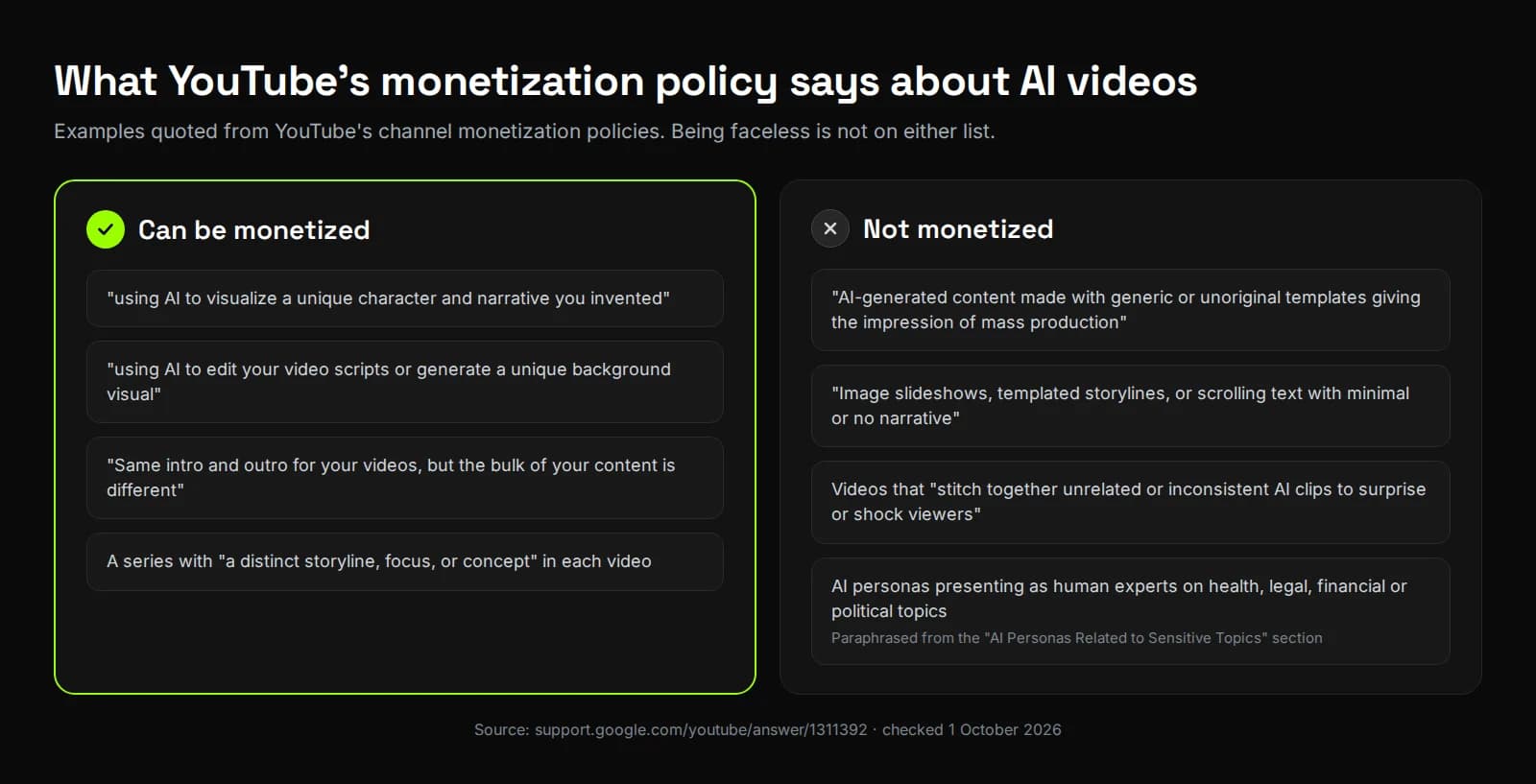
The policy was renamed from "repetitious content" to "inauthentic content" on 15 July 2025. YouTube said the update clarifies that "repetitive or mass-produced" content was always ineligible. Its allowed examples include "using AI to visualize a unique character and narrative you invented".
One rule matters most for narrated channels. YouTube won't monetize channels that use AI personas presenting as human experts on health, legal, financial or political topics. Its examples include an AI "doctor" and AI podcast hosts giving investment tips.
"Take part in the process and make the edits yourself," Peter says. "With AI, I think there's nothing it can't do. But the final decision should always rest with a human."
How many views does a faceless channel need to get monetized?
On the long-form route, 4,000 watch hours is 240,000 minutes in 12 months. If viewers watch 4 minutes of each video on average, that's about 60,000 views. You also need 1,000 subscribers. The shorter the average watch, the more views it takes.
| Average minutes watched per view | Views needed in 12 months |
|---|---|
| 2 minutes | 120,000 |
| 3 minutes | 80,000 |
| 4 minutes | 60,000 |
| 6 minutes | 40,000 |
| 8 minutes | 30,000 |
This is our arithmetic from YouTube's thresholds, not a forecast. Only watch time on public long-form videos counts (YouTube Help). The Shorts route asks for 10 million Shorts views in 90 days instead.
The table makes one thing plain. Longer videos that people actually finish reach the threshold with far fewer views.
Do you have to disclose AI on a faceless channel?
Only when the AI content looks realistic. YouTube requires it when AI puts words or actions on a real person, alters a real event or place, or invents a realistic scene. AI help with scripts, captions, thumbnails or your own cloned voice doesn't need it.
| Tick "AI use: Yes" | No disclosure needed |
|---|---|
| AI-generated music | An AI-drafted outline, script, title or thumbnail |
| AI footage of a real place, such as a surfer in Maui | Captions and audio repair |
| A realistic weather event hitting a real city that never happened | Cloning your own voice for voiceovers or dubs |
| Making it look like someone gave advice they never gave | Clearly unrealistic scenes, like someone riding a unicorn |
Examples from YouTube Help, checked 1 October 2026.
You set it in YouTube Studio when you upload, under Attributes, "AI use". YouTube says disclosing "won't limit a video's audience or impact its eligibility to earn money" (YouTube Help). Channels that keep skipping it risk a label added for them, removed videos or suspension from the Partner Program.
"Our rule at Synthesys is simple: if a viewer could take it for real, we tick Yes," Peter says. "Most of what we post uses realistic AI presenters, so most of our uploads carry the label. That includes digital twins. My twin reading my script is still a scene that was never filmed. Animation, graphics, captions and my own cloned voiceover stay at No, because YouTube doesn't ask for those. The label costs us nothing. Leaving it off can cost a channel."
Which AI rules apply to a faceless channel in 2026?
Four sets of rules matter. YouTube decides what it pays for and what you must label. Google Search judges any blog or site around the channel. The EU now requires deepfakes to be disclosed, and US copyright only protects the parts a human shaped.
| Rule | What it says | What it means for a faceless channel |
|---|---|---|
| YouTube monetization policies | No pay for mass-produced template content or AI personas posing as experts | Vary every video and keep sensitive advice human |
| YouTube AI disclosure | Label realistic AI content; the label doesn't cut reach or earnings | Tick "AI use" for realistic scenes, AI music and realistic AI people |
| Google Search guidance on AI content | AI content is fine; "many pages without adding value" can be scaled content abuse | The same test applies to your channel's blog or show notes |
| EU AI Act, Article 50 | From 2 August 2026, deployers must disclose deepfake image, audio or video | Realistic AI people or events need a clear label for EU viewers |
| US Copyright Office, Part 2 | Prompts alone don't make you the author; human-shaped expression can be protected | Your script, edits and choices are what you can own |
All pages opened on 1 October 2026. This is a summary, not legal advice.
"AI is already part of every video, from the edit and the captions to the voice," Peter says. "We can't hold it back. It's a matter of time before the licensing questions get sorted."
Not everyone sees it that way yet, and the rules are still arriving. The EU's disclosure duty only started in August 2026. Until things settle, the safe ground is simple. Disclose what looks real, and make sure the ideas and the final cut are yours.
How do you start a faceless YouTube channel with AI, step by step?
Pick a niche you have a view on, list your topics, then script, voice, build, assemble and upload each video. AI does most of the production. You set the angle, check every number in the script and decide what ships. That human check is what YouTube's policy rewards.
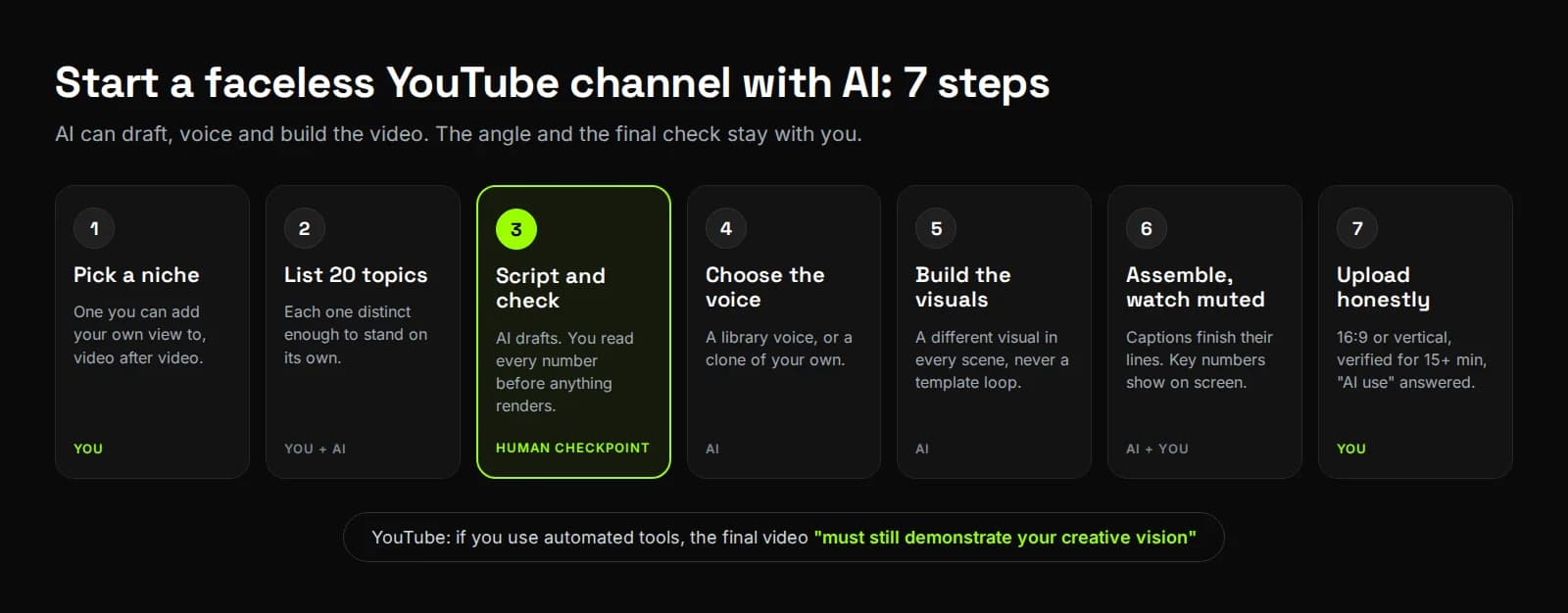
- Pick a niche you can add a view to. YouTube wants each video's substance to be "materially varied". A niche where you have opinions makes that easier than one picked for ad rates alone.
- List 20 topics before you make anything. If you can't find 20 distinct ones, the niche is too narrow. Every video has to stand on its own.
- Write the script, then check every number. AI drafts are fine, and YouTube lists AI script editing as allowed. In both tests below, the script needed fixes before it was ready to post.
- Choose the voice. Use a library voice that fits the topic, or clone your own. Cloning your own voice needs no AI disclosure on YouTube.
- Build the visuals scene by scene. Ask for a different visual in every scene. A run of near-identical shots is exactly what "templated storylines" looks like.
- Assemble it, then watch it with the sound off. Check that captions finish their lines and that key numbers appear on screen, not only in the voice.
- Upload it honestly. Use 16:9 for long-form and vertical for Shorts. Verify your account for anything over 15 minutes, and answer the "AI use" question truthfully.
How do faceless channels make money besides ads?
Inside the YouTube Partner Program, you can earn from watch-page ads, Shorts feed ads, memberships and Supers. Outside it, faceless channels use sponsorships, affiliate links and their own products. Paid deals need YouTube's paid promotion box ticked, so viewers see a disclosure label.
Those Partner Program features switch on in YouTube Studio once you're accepted (YouTube Help). Sponsorships and affiliate links don't need the Partner Program at all.
If a video includes "branded content, sponsorships, endorsements, or other commercial relationships", YouTube asks you to select the paid promotion button. That adds a label at the start of the video (YouTube Help).
What does a faceless video look like when an AI video agent makes it?
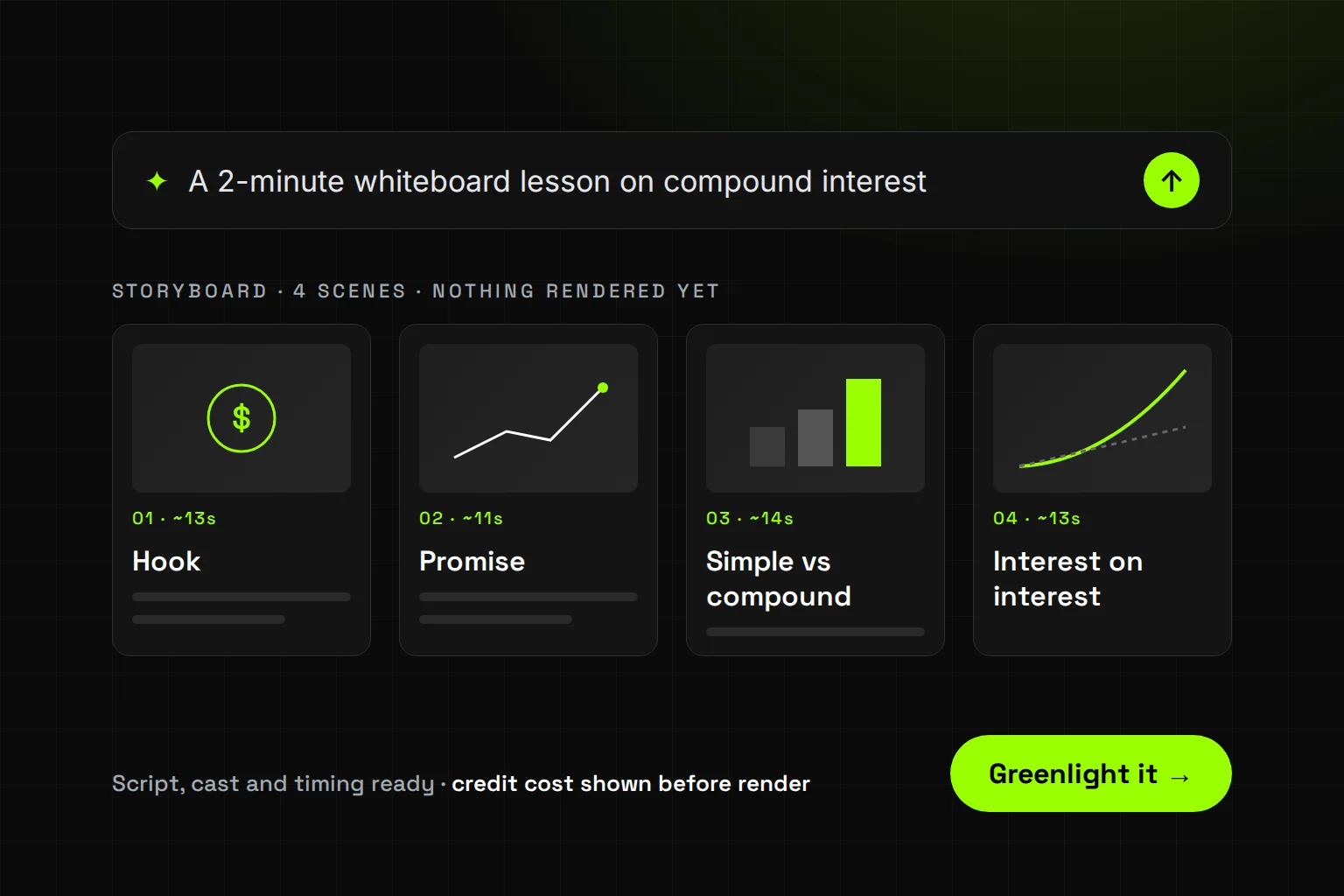
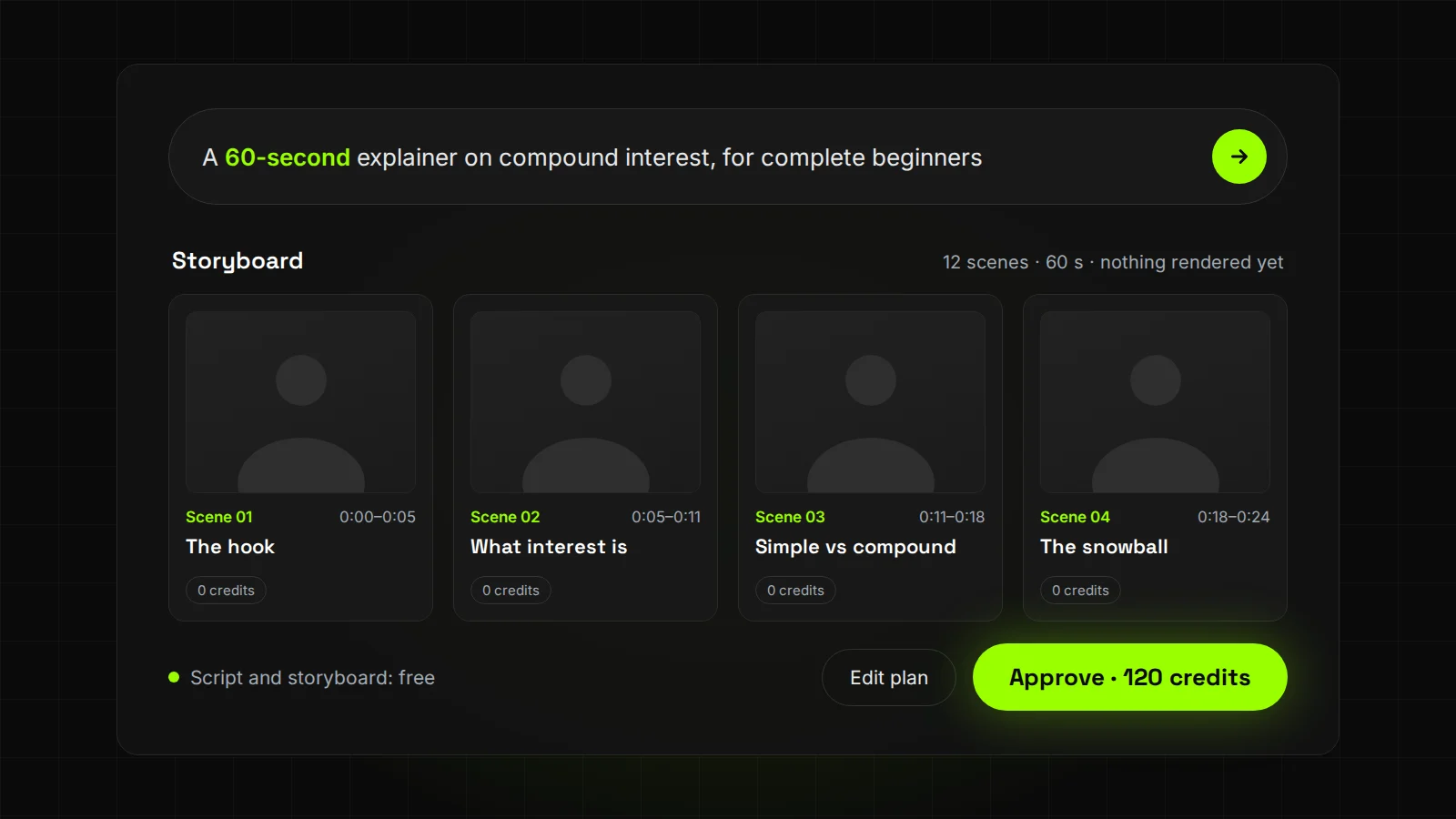
You type one sentence and get back a script and a timed storyboard you can edit. With "Confirm before running" on, nothing renders until you approve, and the credit cost is on the approve button. The agent then voices the video, builds each scene, adds captions and music, and cuts it.
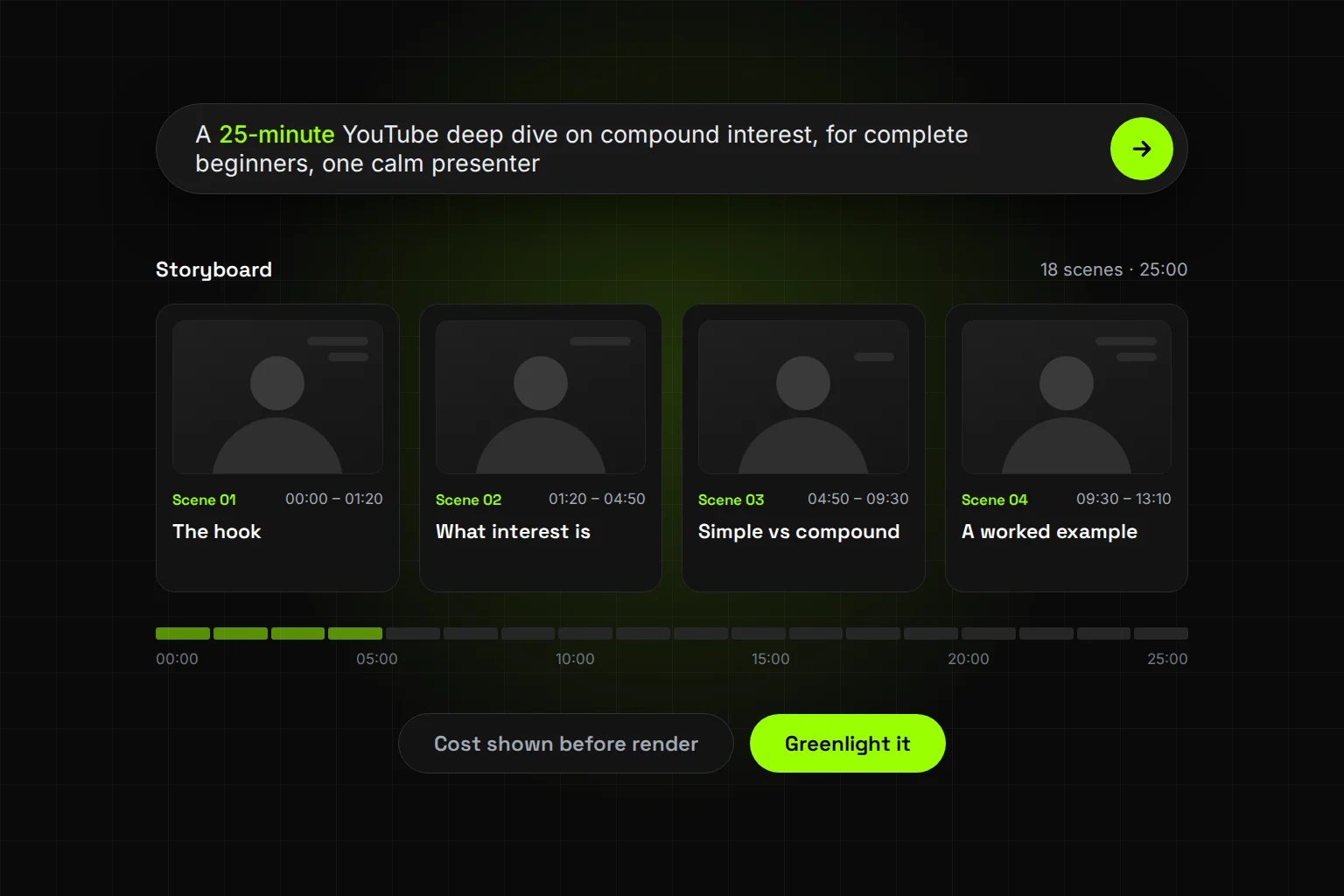
Synthesys is an AI video agent that replaces traditional video production end to end. It has a Faceless story format, typically 30 seconds to 3 minutes and up to 10 minutes in the app. For longer videos there is a Full YouTube video format of up to 30 minutes, and everything exports in 9:16, 16:9 or 1:1 (Synthesys).
| Job | With separate tools | With one AI video agent |
|---|---|---|
| Script | A writing assistant | Written from your brief, editable |
| Scene plan | A doc or spreadsheet | A storyboard of named, timed scenes |
| Voice | A text-to-speech or cloning tool | 400+ voices in 140+ languages, or your clone |
| Visuals | A stock library or video model | Each scene routed to a model |
| Captions | A captioning tool | Timed to the voice |
| Music | A music library | Scored to the edit |
| Edits | A video editor | Scene, line or voice changes by chat |
| Upload | YouTube Studio | Still YouTube Studio: download, then upload |
Agent features from the Synthesys product page.
Our test: brief to finished cut in 6 minutes 32 seconds
Here is the one-line brief we gave the agent:
A 60-second faceless YouTube explainer on how compound interest works, for complete beginners, with one calm narrator and a different visual in every scene.
We used the Faceless Story format and left everything else on its defaults (full test).
| Stage | Time after the brief | What we saw |
|---|---|---|
| Storyboard ready | by 0:40 | 12 scenes, 60 seconds planned, 9:16 |
| Scene 10 fixed in chat | 3:21 | One wrong number corrected before anything rendered |
| We approved | about 5:00 | The cost was on the Generate button |
| First cut | 6:32 | 1:01 long, 1080×1920, with narration, captions and music |
What we changed. One line. Scene 10 said $100 at 10% a year "can pass seven hundred after twenty years". It reaches $672.75 at year 20 and only passes $700 in year 21. One chat message fixed it, at no charge, because nothing had rendered yet.
What worked. The narration matched the script word for word. We asked for a different visual in every scene and got 12 different shots for 12 scenes.
What looked off. Each caption showed only the first seven or so words of its line. The dollar amounts were spoken but never shown on screen. One shot of a man fanning out bills didn't match "one hundred dollars".
Our second test: a faceless Short about Athens rents
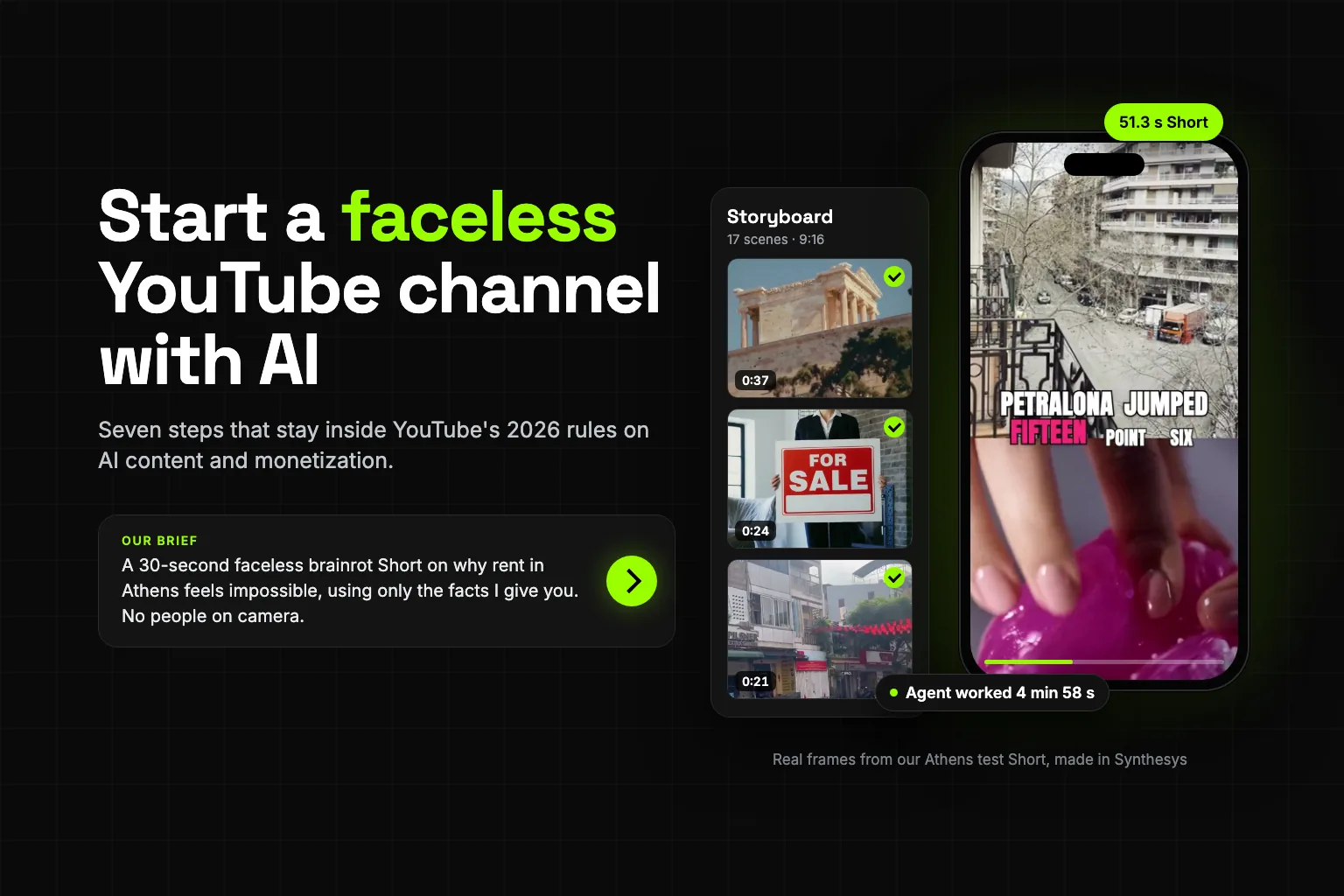
On 1 October 2026 we briefed a faceless Short on a topic people search: why rent in Athens feels impossible.
It starts on the home screen. Pick a template, here Brainrot Edit, and a style, here Storytime. Then describe the video in a sentence or two.
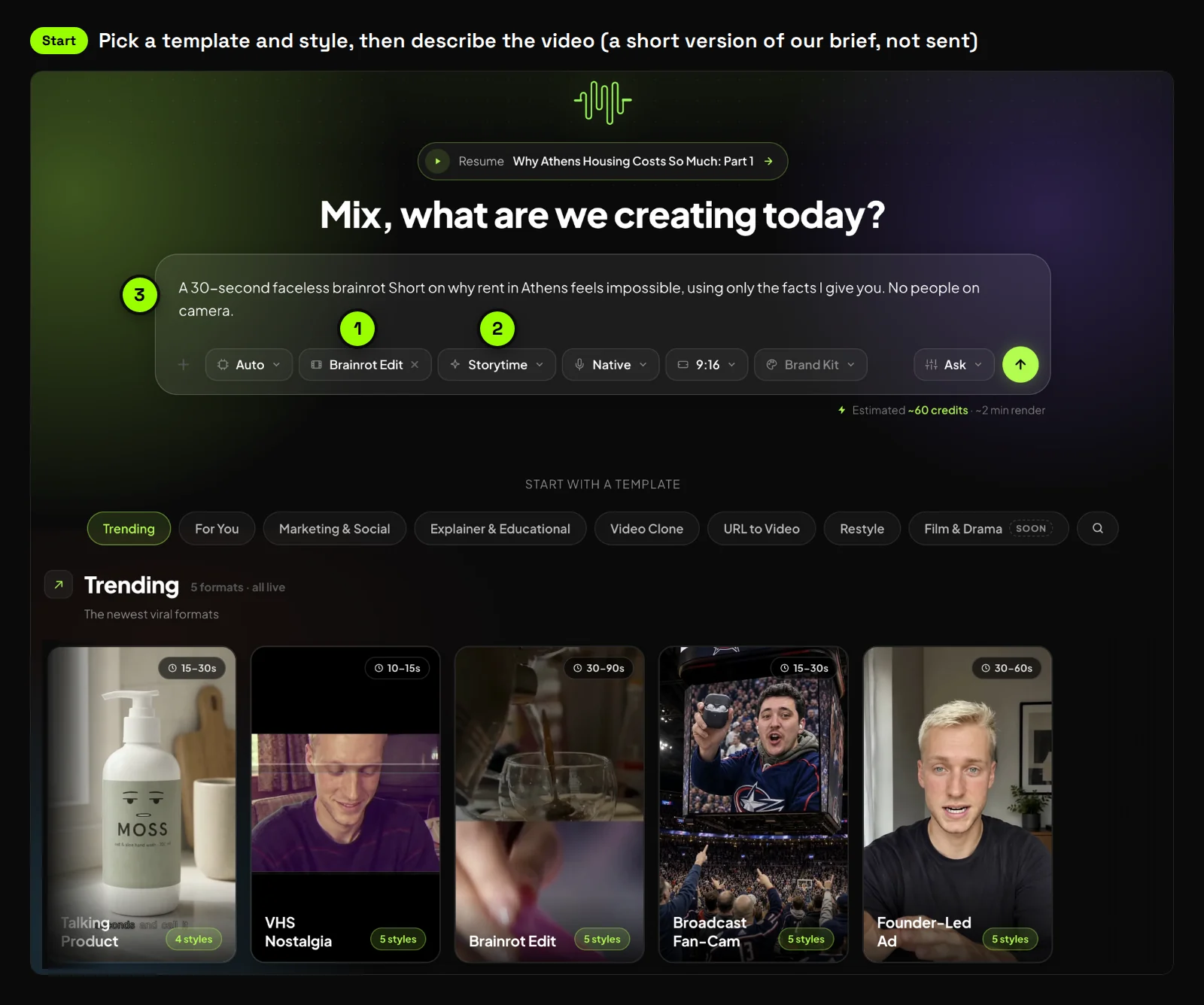
Our real brief was longer. We gave the agent the facts to use, with a source named for several of them. It also set the format, 30 seconds in 9:16, and one firm rule: "No people on camera: nothing human appears".
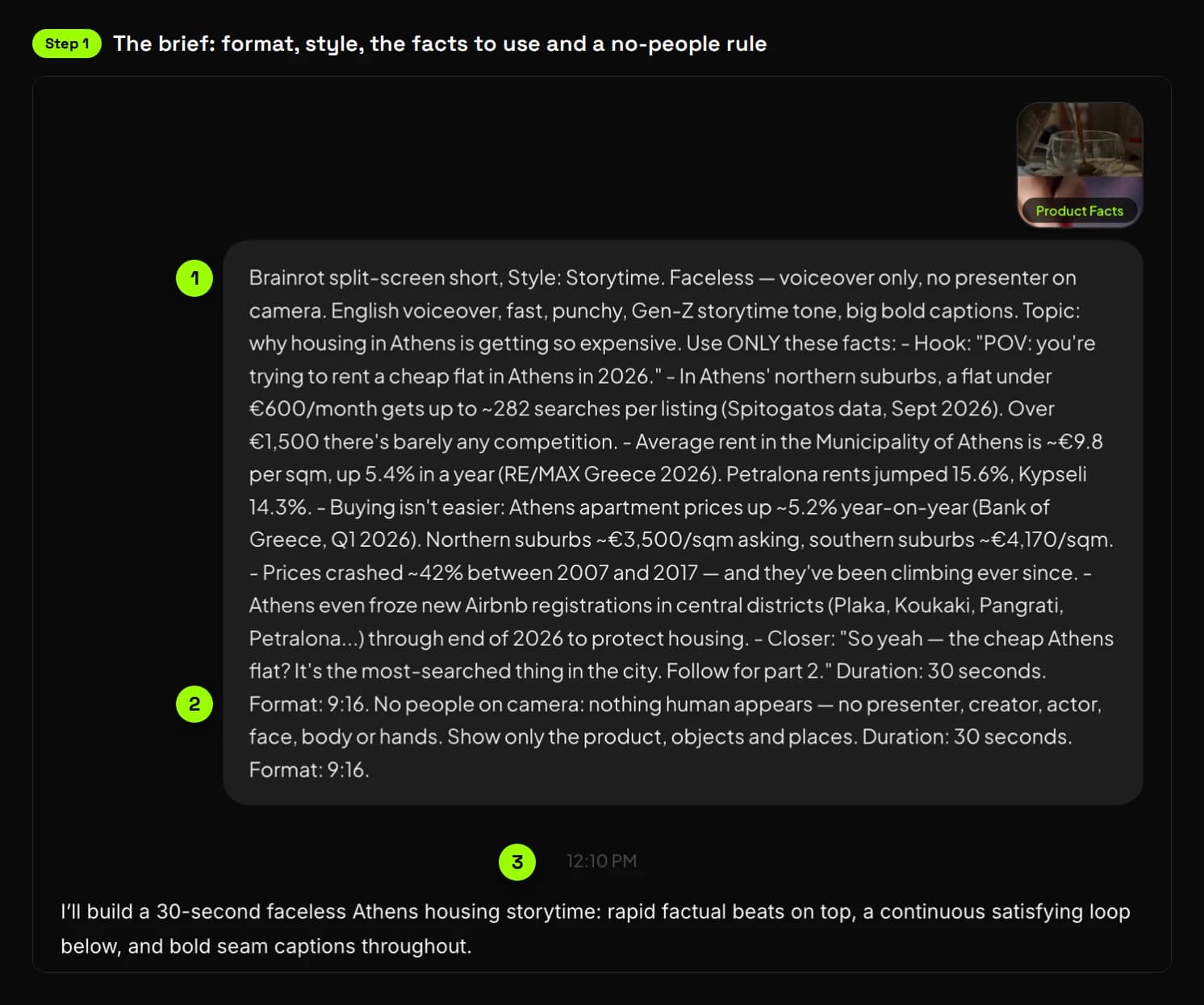
Here is what the app recorded for this run.
| Stage | What the app showed |
|---|---|
| Brief sent | 12:10 PM |
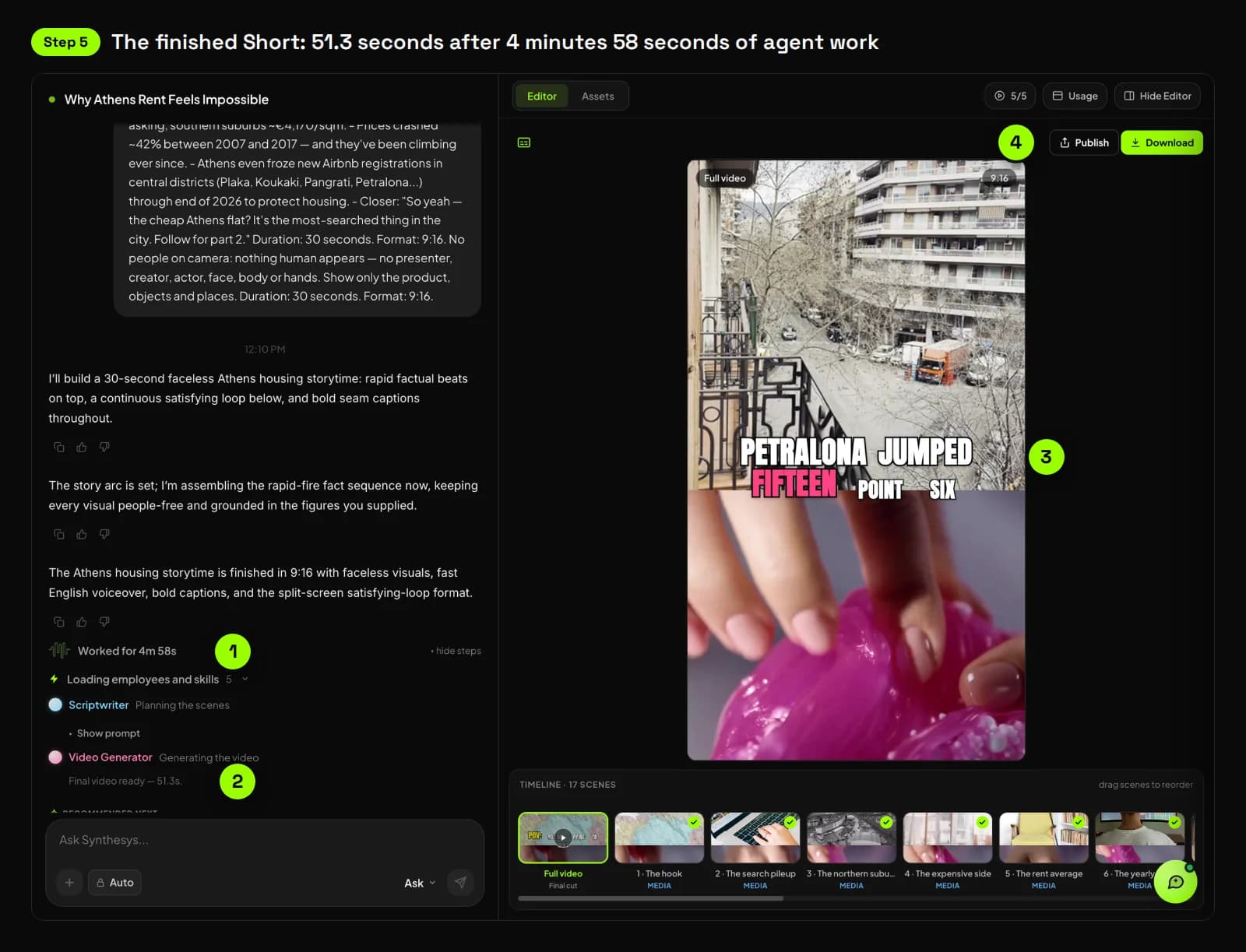
| Storyboard | 17 scenes, each planned at about 2 seconds |
| Word-limit warnings | 14 of 17 lines flagged as too long for their scene |
| Approve step | None: this run went straight from brief to render |
| Agent work time | 4 minutes 58 seconds, brief to finished video |
| Finished Short | 51.3 seconds at 1080×1920; scenes ran 1.9 to 4.2 seconds each |
We asked for 30 seconds and got 51. The storyboard had warned us: 14 lines held more words than their 2-second scenes fit. Most rendered scenes ran longer than planned, up to 4.2 seconds.
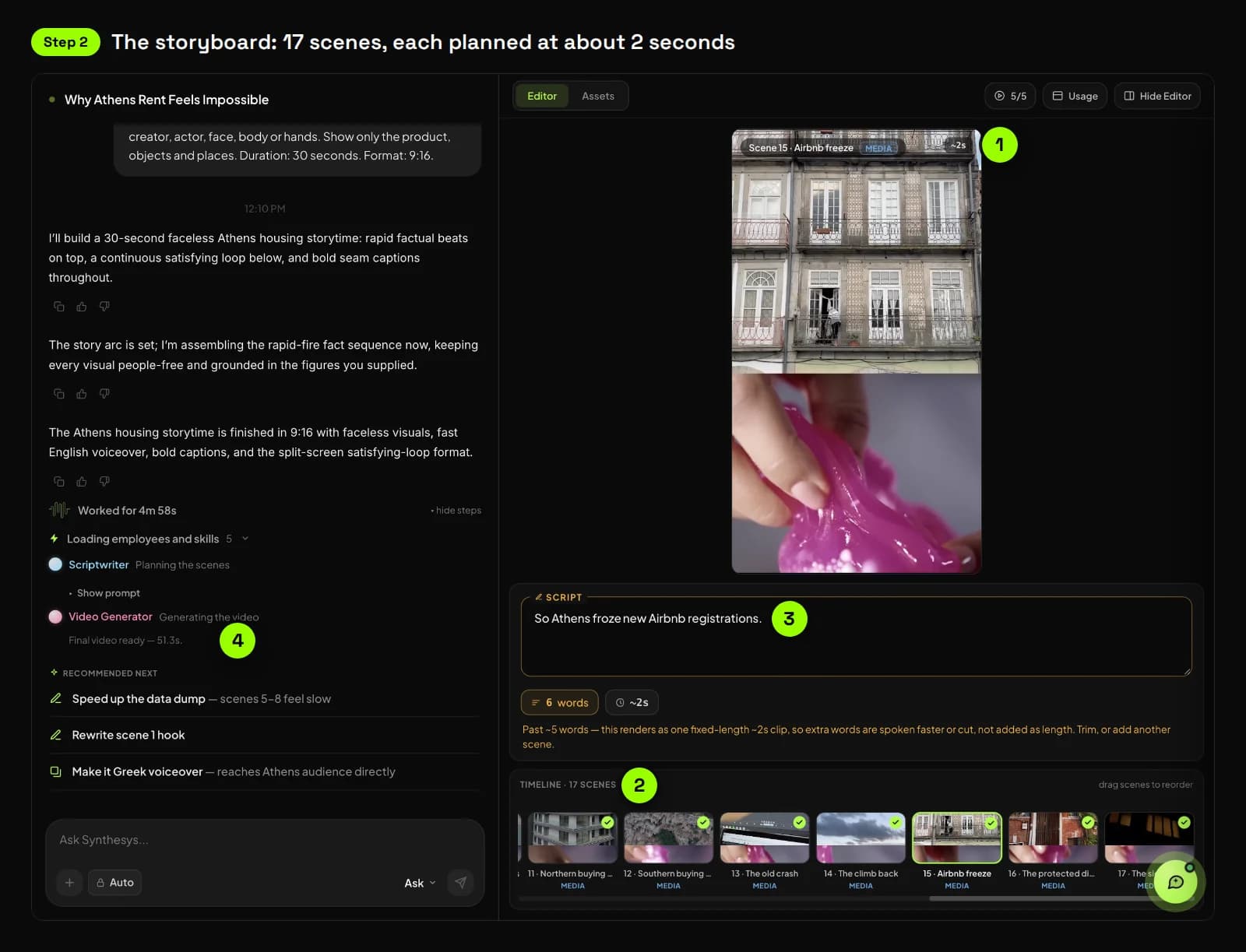
This run didn't pause for approval, so it has no cost screen. The composer has two modes, "Confirm before running" and "Auto-run without asking", and this one went straight through. The next screen shows the approve step in another faceless project of ours.
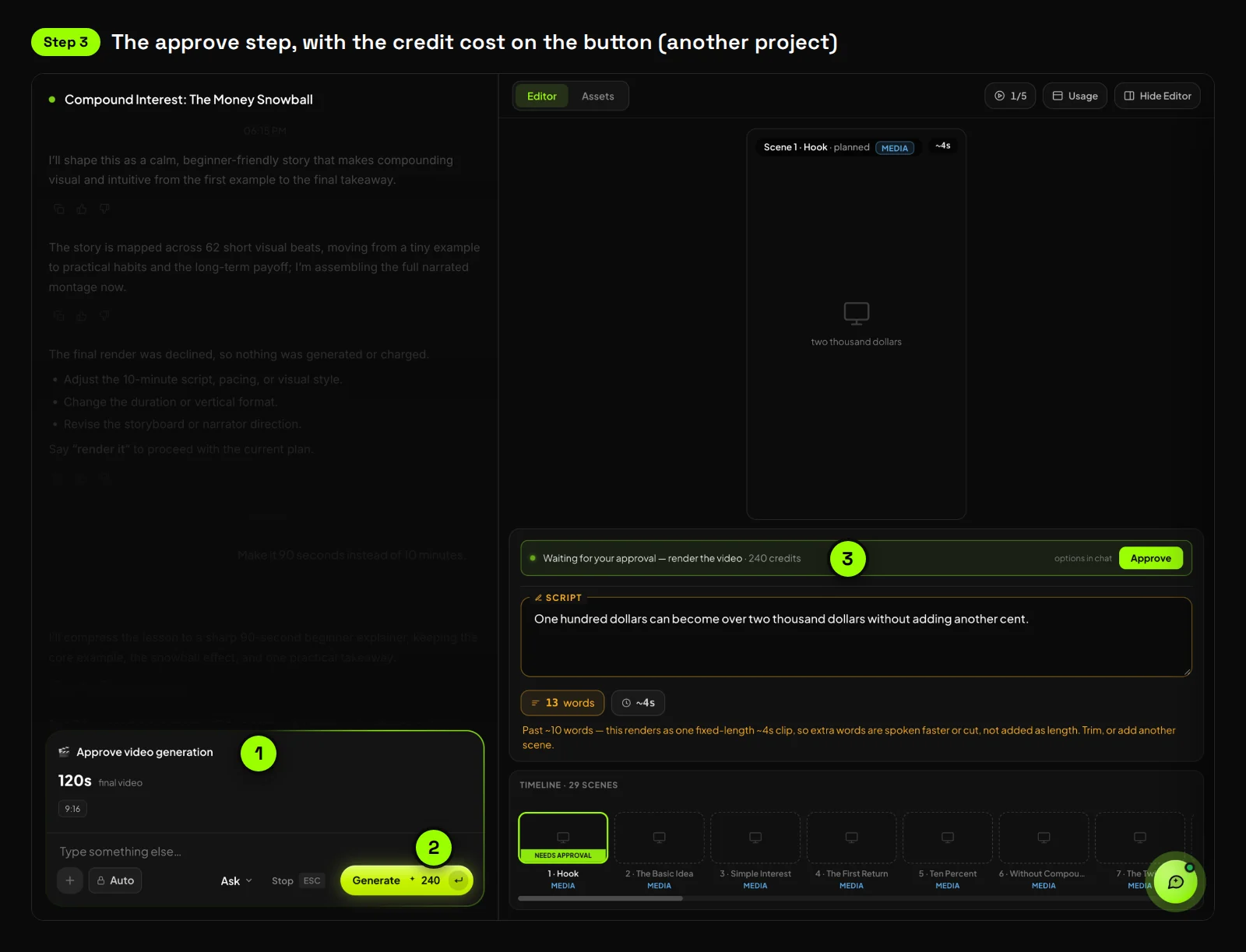
In that project we asked for 90 seconds, and the approve card said 120. Check the length on the card before you spend anything.
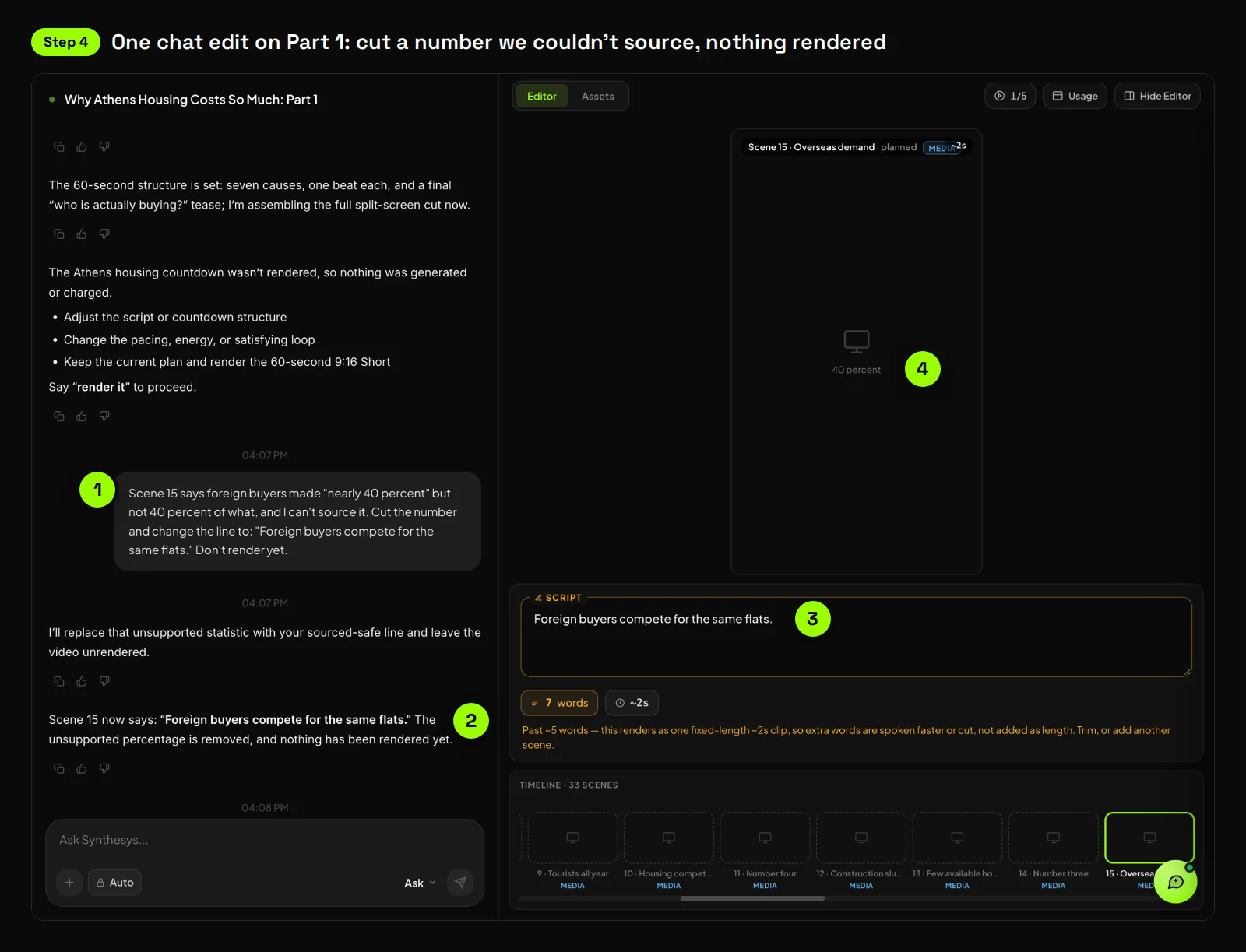
The Athens Short had no chat edits, so we made one on its follow-up. "Why Athens Housing Costs So Much: Part 1" is a 33-scene plan we never rendered. Its scene 15 said foreign buyers made "nearly 40 percent", without saying of what.
We asked the agent to cut the number. It rewrote the line in 4 seconds and rendered nothing. The planned visual for that scene still read "40 percent", so check the visuals after a script edit too.
Here is the finished Short, in the app and as the file it produced.
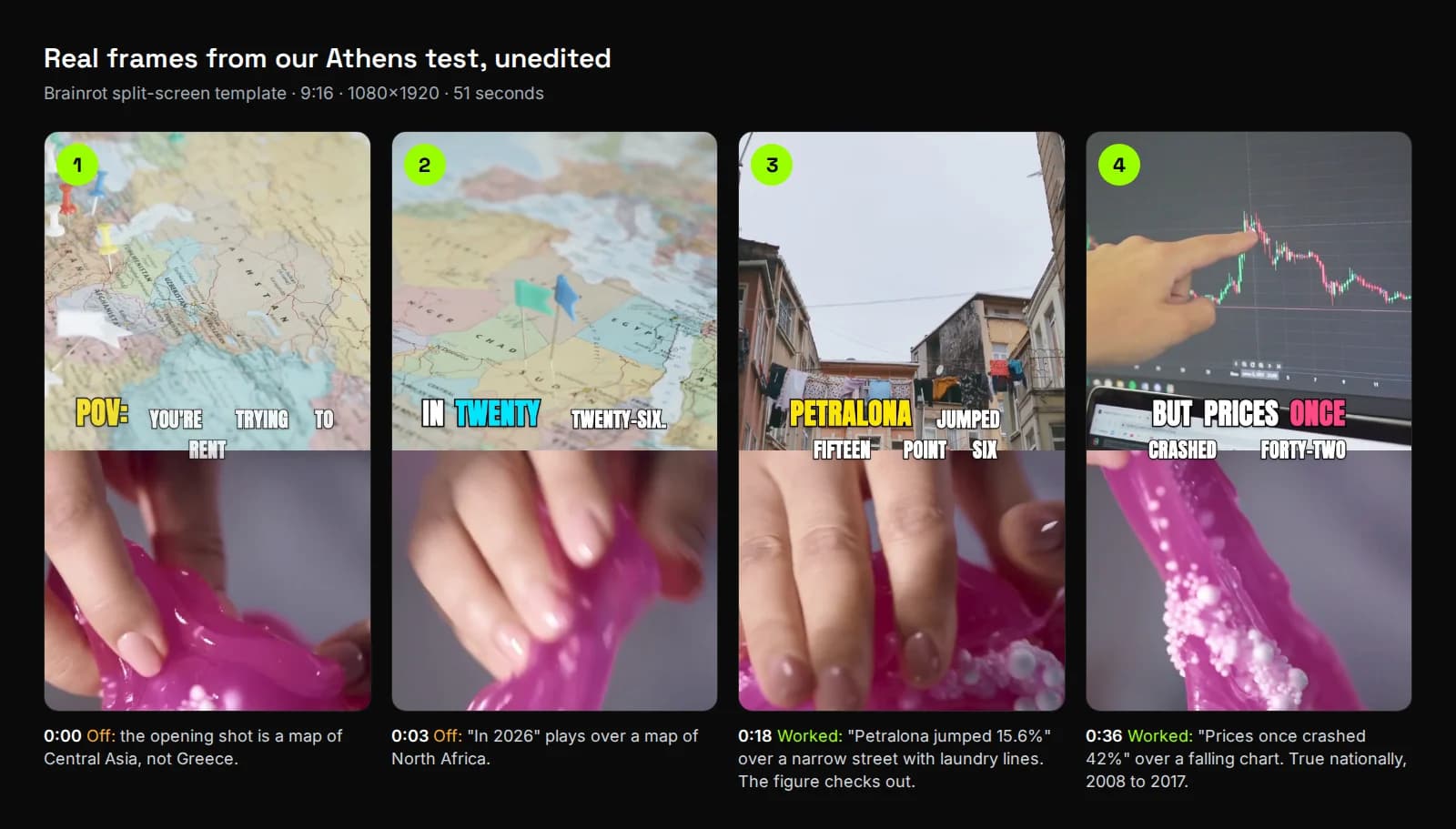
Then we did the human part: we checked every number in the narration against public sources.
| What the Short says | What we found |
|---|---|
| Athens rents average €9.8 per m², up 5.4% a year | Correct, RE/MAX Greece data for 2026 (Proto Thema) |
| Petralona rents up 15.6%, Kypseli up 14.3% | Correct, same source |
| Apartment prices rose 5.2% | Athens figure for Q1 2026. By Q2 2026 it was 5.0% (Bank of Greece) |
| Prices once crashed 42%, between 2007 and 2017 | Close. The 42% fall is national, from Q3 2008 to Q3 2017 (Alpha Bank) |
| "So Athens froze new Airbnb registrations" | The freeze is real: central districts 1 to 3, from 1 January 2025 to the end of 2026. The "so" is wrong, and our brief didn't say it. The freeze targets today's housing shortage, not the old crash (Greek City Times) |
| Search counts ("282 searches") and suburb asking prices (€3,500 and €4,170 per m²) | We couldn't find a source for either. Both came from our brief, and the Short drops the brief's "up to" and "per listing". We'd cut these lines before publishing |
Three claims were exactly right, two were close but dated or loosely labelled, and two had no source we could find. Every number came from our own brief. The agent kept to it, trimmed a few qualifiers and added one false "so".
The lesson for step 3: check your brief as hard as the script.
What looked off on screen. The opening shot is a map of Central Asia, and "In 2026" plays over a map of North Africa. Neither is Athens. The Petralona and price-crash shots matched the words well.
The brief ruled out people and hands. Hands knead slime in the lower loop for most of the Short.
Up top, a hand writes "China" in a notebook at 0:01. A man at a trading screen appears at 0:16, and someone holds a For Sale sign at 0:25.
Captions spelled numbers out as words, such as "FIFTEEN POINT SIX", rather than showing 15.6%.
After the render, the agent's own top suggestion was to speed up scenes 5 to 8, which it said "feel slow".
"Before I post it, I'd cut the two lines we couldn't source and drop the false 'so'," Peter says. "Then I'd ask for numbers on screen as digits, swap the two wrong maps and hold it to 30 seconds. The agent built the Short. Checking the facts was my job."
What mistakes stall most faceless channels?
Five show up again and again: lookalike videos, reading other people's work, unchecked scripts, the wrong shape and no sign of a person. YouTube's policy targets the first two and the last. Our own tests caught the third.
- Same structure, new topic. Same intro and outro is fine, YouTube says, if "the bulk of your content is different". The same storyline template every time is not.
- Reading other people's work. Content that "exclusively features readings of other materials you did not originally create" isn't monetizable. Turning articles into narration needs your own commentary on top.
- Trusting the first draft. An AI draft can state a wrong number confidently, as ours did, or repeat one from your brief. Read the storyboard for facts, not just for order.
- Leaving the default shape. Our faceless test plan defaulted to 9:16. Ask for 16:9 in the brief when the video is for the main feed.
- Leaving no sign that a person made it. A TeamYouTube FAQ on reused content, viewed 333,000 times, says reviewers check "how you created, participated in, or produced your content" (YouTube Help Community). Using AI doesn't fail that check on its own, the FAQ says. Yet a volunteer Gold Product Expert there wrote in March 2026 that the denials he sees are "either for copyright or AI" (YouTube Help Community).
What are the limits of a faceless channel built with AI?
AI can produce the video, but it can't supply the angle YouTube pays for. Expect to fix captions, on-screen numbers or loose footage on early cuts. Some topics, like AI personas giving financial or health advice, won't be monetized however good the video is.
- First cuts need a human pass. In our compound-interest test, captions showed only the first words of each line, and some footage didn't match the narration.
- A brief isn't a guarantee. Our Athens brief asked for 30 seconds and no people. The Short ran 51 seconds and showed hands for most of its length.
- Format lengths differ. The Faceless story template typically runs 30 seconds to 3 minutes and can go up to 10. For 10 to 30 minutes, use the Full YouTube video format.
- YouTube upload stays manual. On the Agency plan and up, Synthesys publishes to TikTok, Instagram and Facebook from inside the app (Synthesys). For YouTube, you download the video and upload it in YouTube Studio.
- Sensitive topics. An AI narrator presenting as a doctor, lawyer or financial adviser rules out monetization under YouTube's AI persona rule.
"We shipped AI voices in 2020, avatars in 2021 and our own lip-sync model in 2023," Peter says. "Each time, a better model came along. What never went out of date was the step where a person reads the plan and decides. That's why the agent shows you the storyboard before it spends anything."
Try it
Synthesys turns one sentence into a script and storyboard you can edit, then into a finished video with voice, captions and music. Faceless stories and full YouTube videos are both built-in formats, in 16:9, 9:16 or 1:1. Start a faceless video in Synthesys.
On the home screen, Faceless Story sits under Marketing & Social, and Brainrot Edit under Trending.
Read next: What is an AI video agent?, how to make long AI videos without stitching clips and why AI video credits get wasted. See every format on the Synthesys Video Agent page.
Sources
All pages opened and checked on 1 October 2026.
- YouTube Help, YouTube channel monetization policies (inauthentic content, reused content, AI personas)
- YouTube Help, Disclosing use of GenAI content
- YouTube Help, YouTube Partner Program overview and eligibility
- YouTube Help, Add branded content restrictions and disclosure labels
- YouTube Help, Upload videos longer than 15 minutes
- YouTube Help, Get started creating YouTube Shorts
- Synthesys, AI Video Agent product page
- Synthesys blog, How to Make Long AI Videos Without Stitching 8-Second Clips (our first-hand test, 28 September 2026)
- Proto Thema English, The 2026 rent map (RE/MAX Greece rent data, 3 September 2026)
- Bank of Greece, Indices of residential property prices: Q2 2026 and Q1 2026
- Alpha Bank Economic Research, Decoding Housing Affordability in Greece (April 2025)
- Google Search Central, Using generative AI content on your website (updated 10 December 2025)
- EU AI Act, Article 50 (transparency obligations, applies from 2 August 2026)
- U.S. Copyright Office, Copyright and Artificial Intelligence, Part 2: Copyrightability (29 January 2025)
- Wikipedia, Kurzgesagt, HowToBasic and Lofi Girl
- The Hollywood Reporter, Faceless creators take a hit as YouTube cracks down on AI slop (Andrew Zucker, 13 June 2026)
- YouTube Help Community, FAQ: Reused Content & YouTube's Partner Program (TeamYouTube, 25 April 2024, edited 17 September 2025)
- YouTube Help Community, Detailed Clarification About AI-Generated Content and Monetization Eligibility (thread, 28 February 2026; Gold Product Expert reply, 1 March 2026)
- Skool, Adrian Viral AI Marketing community page
- YouTube, Adrian Viral AI Marketing channel About page (subscribers, videos, join date)
- Instagram, Life Hack and @adrianviralai profiles
- Greek City Times, Athens extends ban on new short-term rentals in central districts through 2026
Frequently asked questions
Can faceless YouTube channels make money in 2026?
Does YouTube demonetize AI-generated videos?
Is YouTube automation allowed?
Do I need to disclose an AI voice on YouTube?
Can I upload faceless videos longer than 15 minutes?
How many views does a faceless channel need to get monetized?
Keep reading
All posts →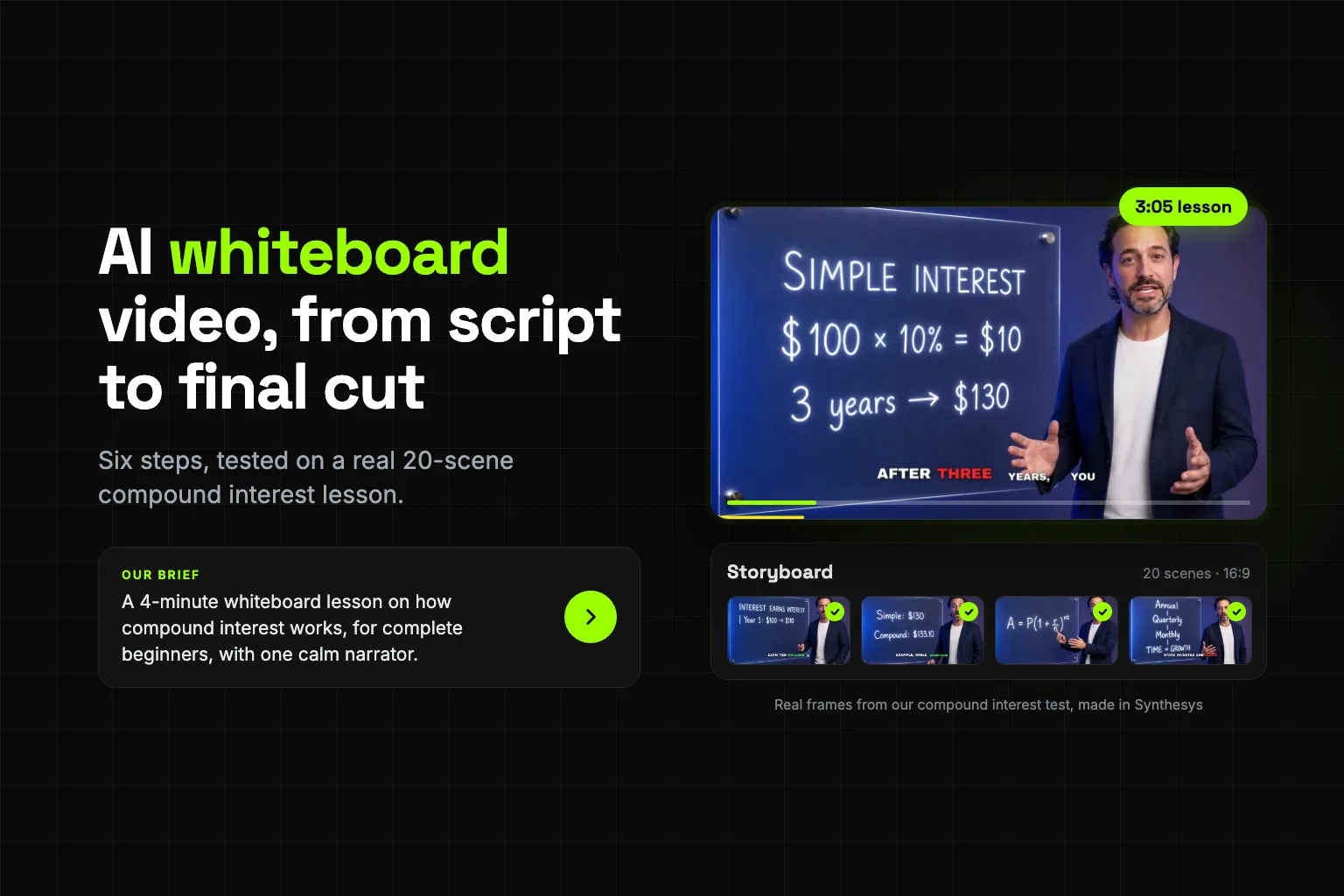
AI Whiteboard Video: From Script to Final Cut in 6 Steps
AI Video Credits: Why They Get Wasted and How to Stop It
How to Make Long AI Videos Without Stitching 8-Second Clips